

The project itself :
Project Overview
StudySync is a mobile-first time management tool designed to transform the academic experience by simplifying how students track assignment and plan study sessions. Developed as a collaborative final project for an iterative design course, the app utilizes a high-contrast, motivational interface to reduce cognitive load and help students regain control over their weekly schedules. Through a rigorous cycle of prototyping and usability testing, the project demonstrates a data-driven approach to solving the real-world organizational challenges faced by modern college students.
Problem:
College students are often overwhelmed by the volume of overlapping classes, assignments, and deadlines, leading to significant stress and poor time management. Existing tools frequently lack a simple, high-visibility interface that combines task tracking with a centralized calendar, forcing students to 'pogo-stick' between multiple apps to understand their daily priorities.
Goal:
To design and develop a functional high-fidelity prototype that empowers students to organize their weekly academic life through a streamlined, easy-to-use interface. The objective was to create a motivational environment that provides immediate feedback on task completion, helping users develop consistent and effective study habits.
My role:
Lead Product Designer & Adalo Developer
I served as the primary architect for the interface logic and visual design, leading the development from initial conceptual wireframes to the final functional high-fidelity prototype in Adalo.
Responsibilities:
Collaborating on multi-phase wireframes and paper prototypes.
Designing motivational branding and a custom visual identity.
Developing a functional high-fidelity prototype using Adalo.
Conducting usability testing and documenting qualitative research.
Iterating on UI elements based on data-driven user feedback.
All about the user :
User Research
The research phase for this academic project began with a competitive analysis of existing study tools and a deep dive into the technical capabilities of the Adalo platform. To validate the design, I conducted usability testing with fellow students to observe how they managed their coursework and deadlines in real-time. These peer sessions revealed that students wanted a simple, easy-to-navigate system that showed their coursework chronologically, and allowed them to insert notes about each entry.
The project schematically :
Starting the Design
To simplify the student academic experience, I began by researching app-building platforms that could support essential features like integrated calendars and chronological task lists. I developed structural wireframes and paper prototypes to define the core navigational flow, followed by branding sessions to establish a motivational, split-complementary visual system before transitioning into high-fidelity development.
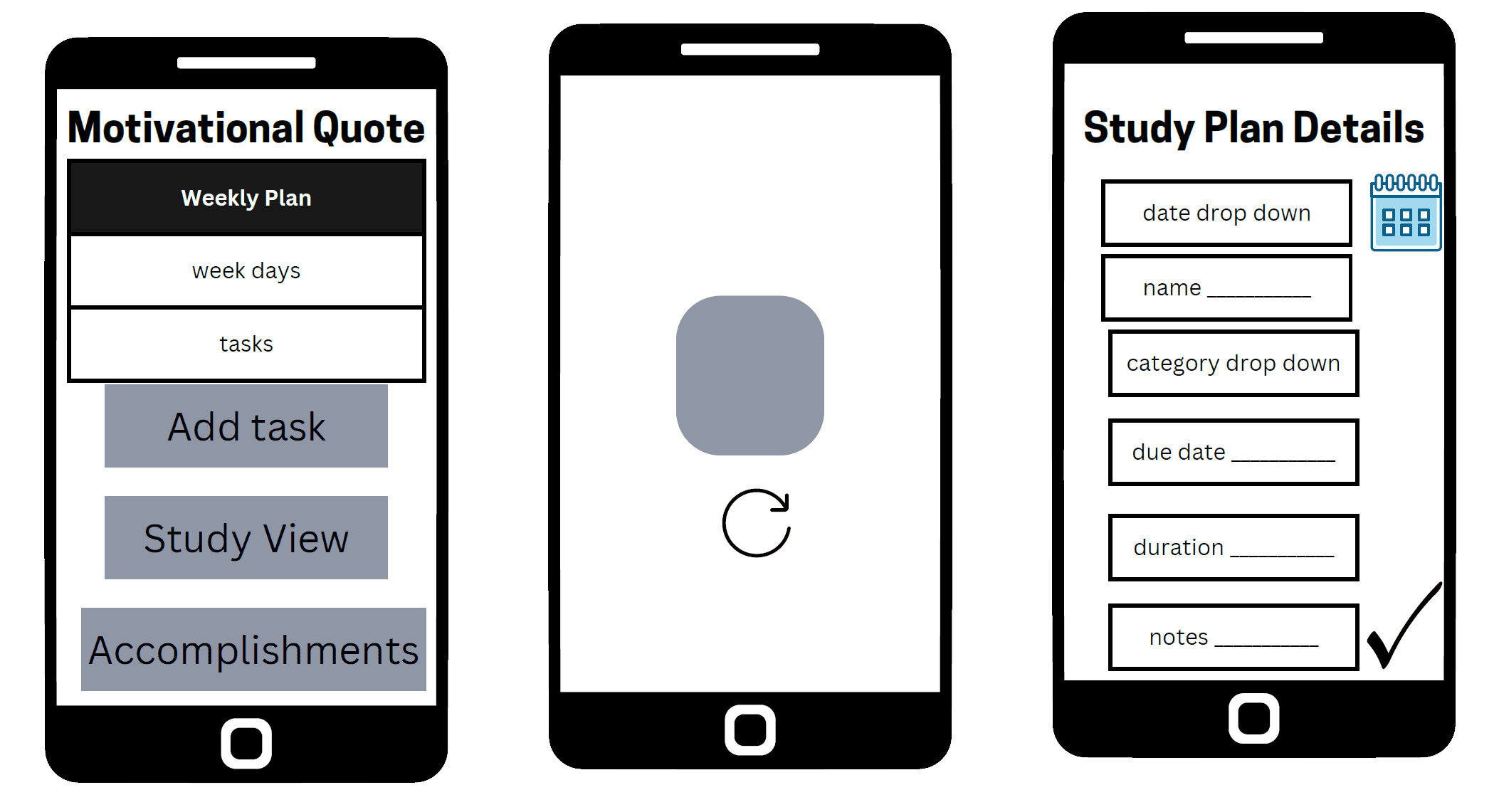
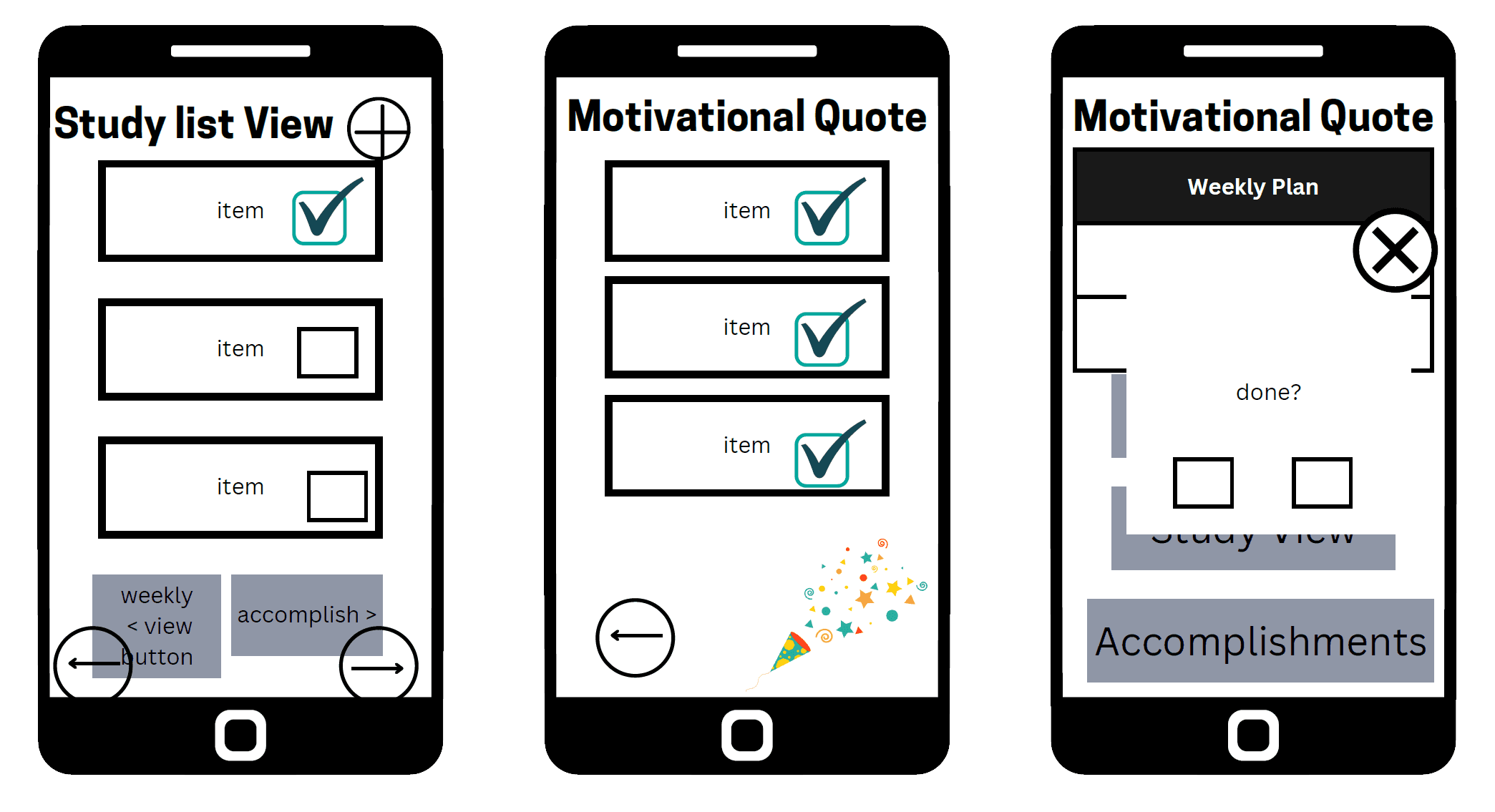
Digital Wireframes
Establishing a high-fidelity blueprint to define the visual hierarchy and placement of core organizational tools before moving into final prototype development.
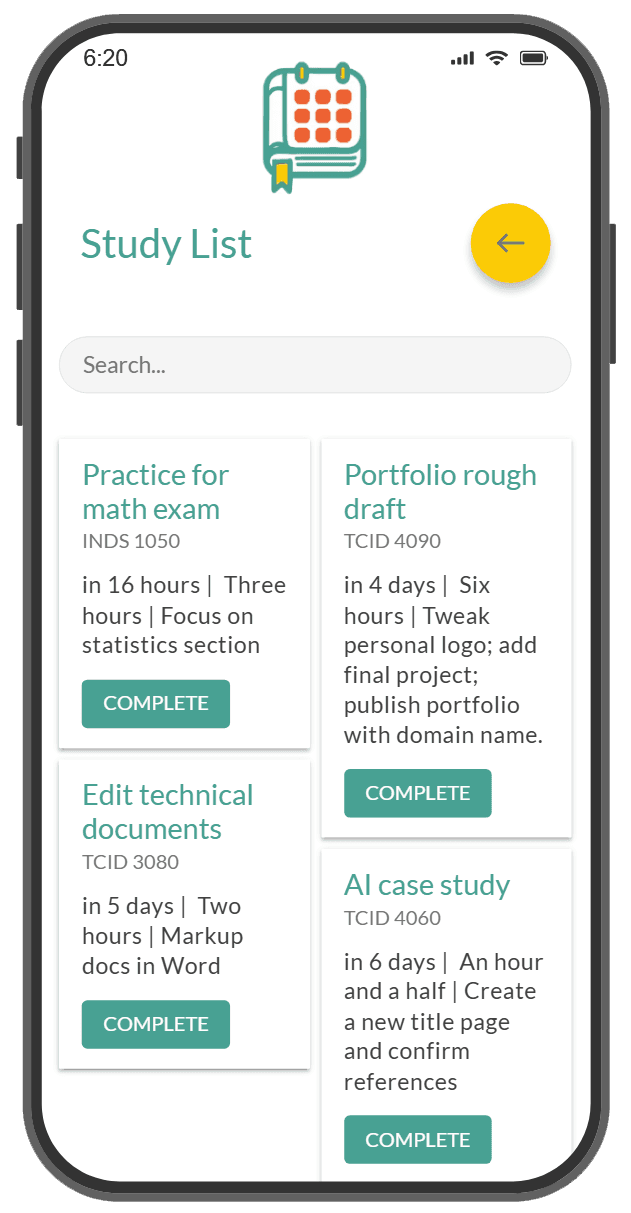
At this stage, I focused on the structural layout of the weekly planner and study list views. The goal was to ensure that the most critical assignment data—such as due dates and task durations—remained the primary focal point. By mapping the interface into these digital wireframes, I could validate that the navigation was simple enough for students who need quick and efficient time management support.
Usability Studies
A qualitative validation of user needs, utilizing testing with representative college students to ground the StudySync concept in real-world academic experiences.
Throughout the iterative design process, I conducted rapid testing to validate the core logic of StudySync. By presenting the high-fidelity prototype to peer participants, I gathered feedback on the app's functionality and visual hierarchy. This research allowed me to identify critical friction points and functional requirements for a student-centered time management tool.
Onboarding Clarity
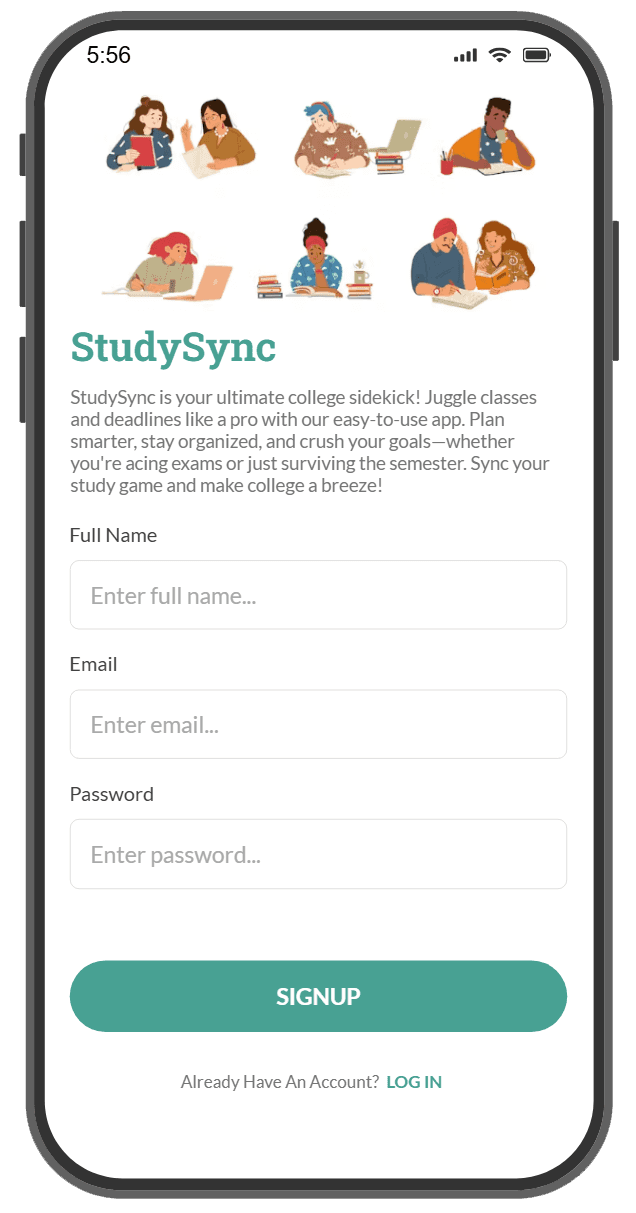
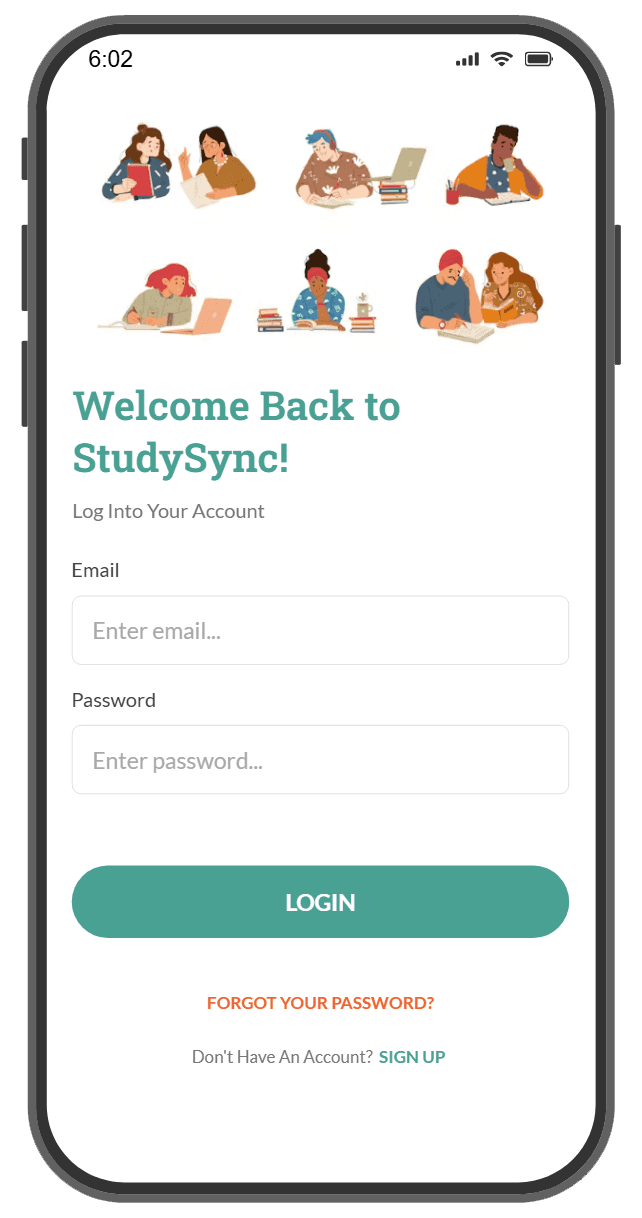
The Insight: A few non-tech savvy participants expressed confusion on the initial sign-up page, not realizing that creating an account would automatically sign them into the interface.
The Design Intervention: While the team considered adding clarifying text, we prioritized a streamlined flow, ensuring the automatic transition remained the primary focus to minimize steps.
Visual Accessibility
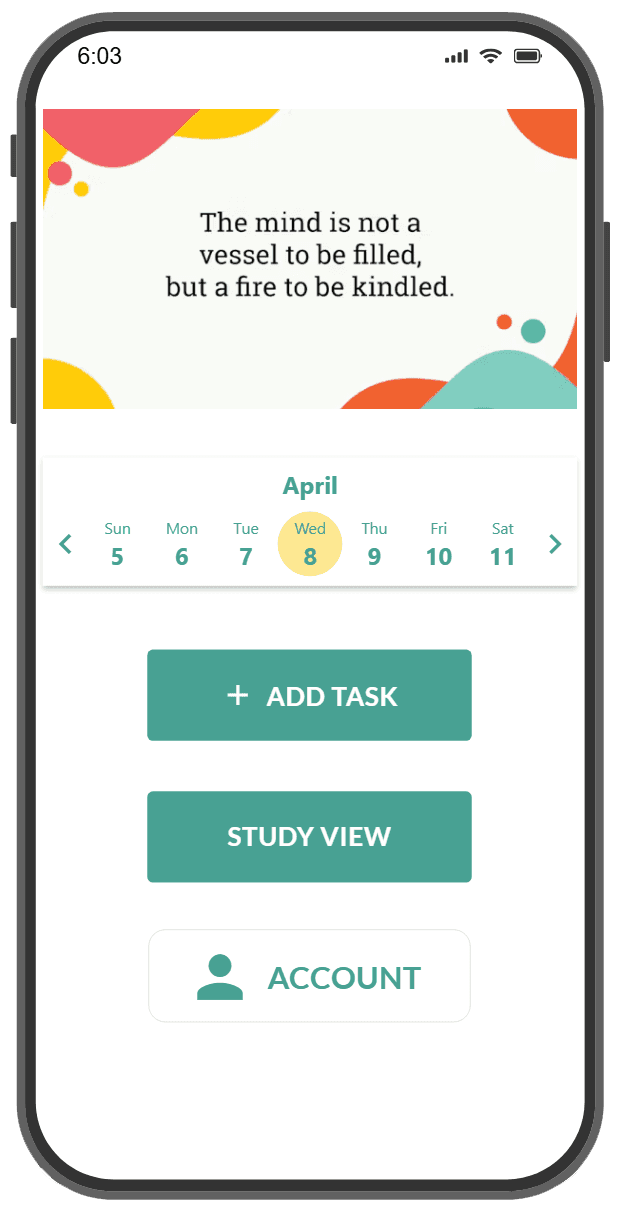
The Insight: Testing revealed that the yellow "current day" indicator on the teal calendar lacked sufficient contrast, making it difficult for users to quickly track their schedules.
The Design Intervention: Although platform limitations in Adalo prevented white text, I successfully lightened the indicator color to improve legibility and visual hierarchy for the active date.
Active Feedback Loops
The Insight: Users felt that a blank study list was "too plain" and lacked clear confirmation once all tasks were completed.
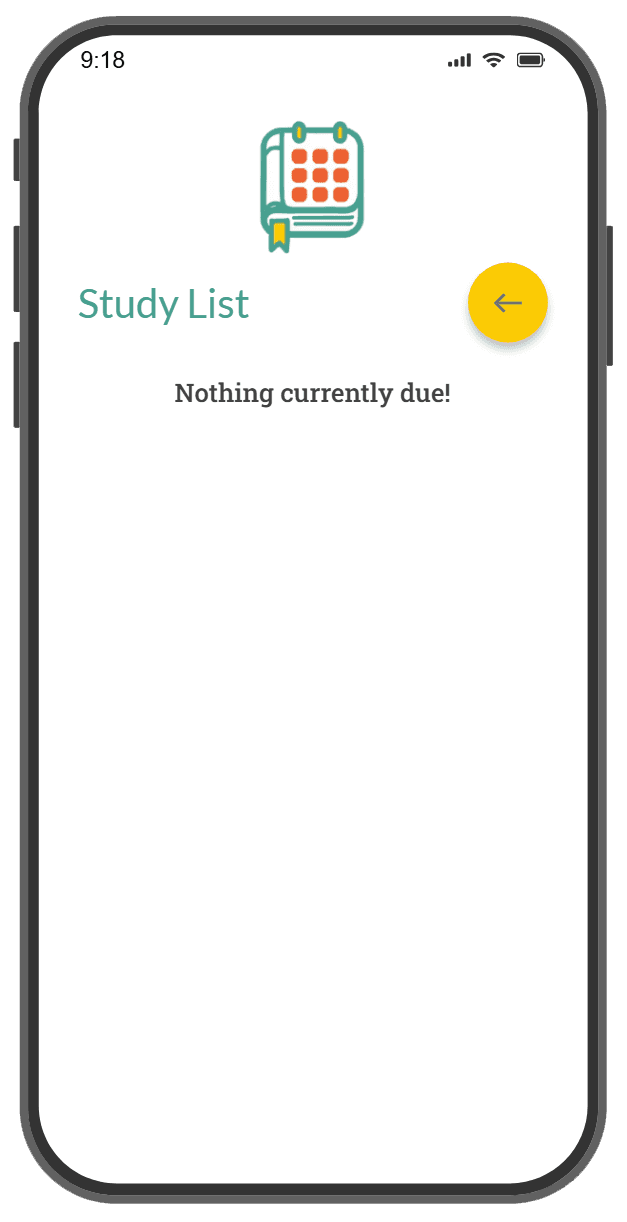
The Design Intervention: I implemented a dynamic empty state that displays the text "Nothing currently due!", providing users with positive reinforcement and definitive closure on their daily workload.
The clear version :
Refining Design
Moving from low-fidelity skeletons to a functional high-fidelity prototype, I focused on resolving the specific friction points discovered during student usability testing. This transition allowed me to implement targeted UI improvements—such as calendar contrast and clearer sign-in feedback—to ensure the app remained accessible for students balancing heavy academic workloads. By prioritizing functional clarity over complexity, the final design streamlines the path from viewing an assignment to confirming its completion.
Mockups
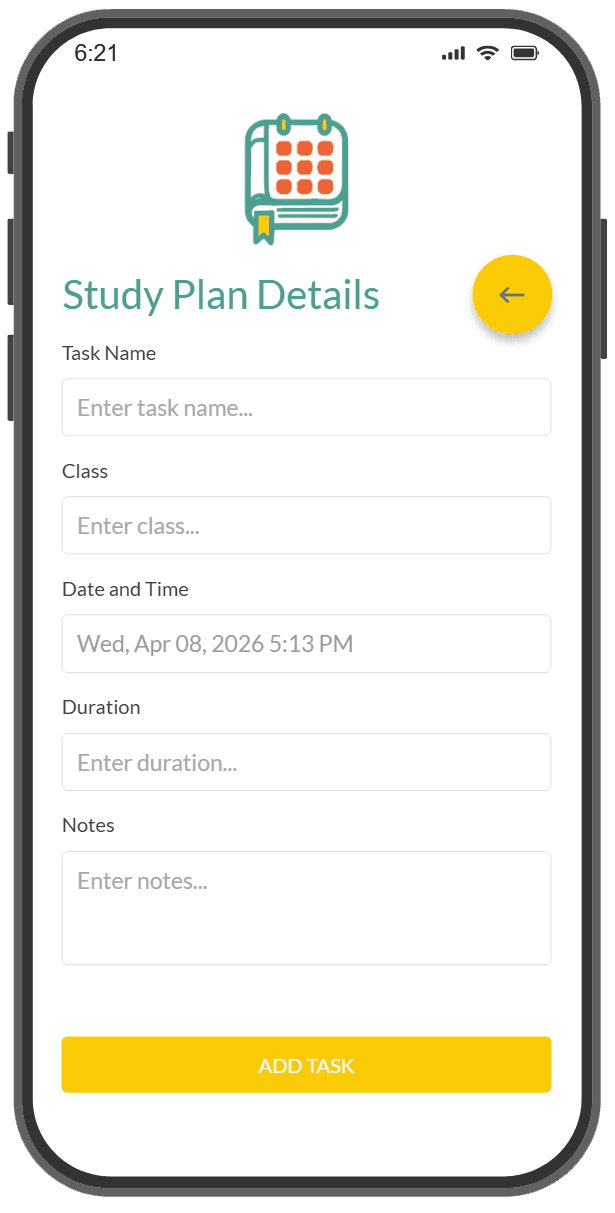
A structured visual system designed to improve student time management by translating academic schedules into a motivational, high-fidelity mobile environment.
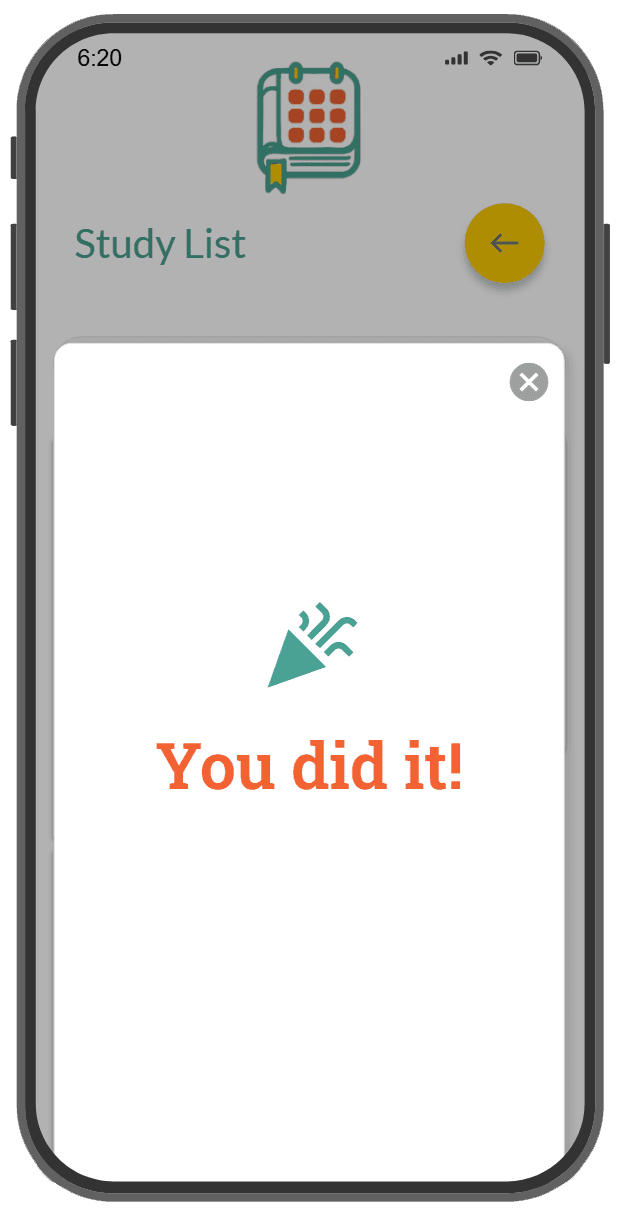
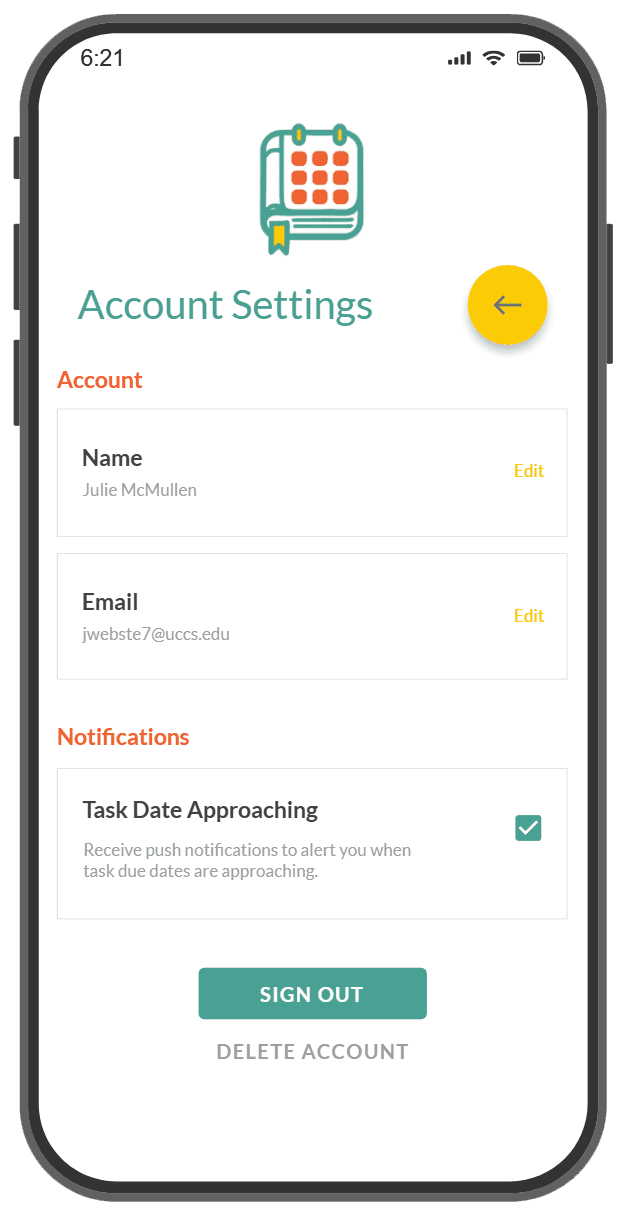
The StudySync design system centers on a high-energy palette of orange, yellow, and teal to foster a sense of motivation and focus for the user. By integrating a rewarding accomplishment system and a unique textbook-calendar identity, the final UI transforms a standard planning tool into an engaging workspace that reduces the cognitive burden of tracking deadlines. Features like the "Nothing Due" empty state and celebratory task pop-ups provide the positive reinforcement necessary to sustain long-term student engagement.
High-fidelity prototype
A functional exploration of the StudySync interface, developed to validate user-led organization and streamlined deadline management for college students.
This interactive walkthrough demonstrates the core user journey from initial account sign-in to active task tracking and completion. It highlights the integration of a centralized calendar with a rewarding accomplishment system, ensuring students can visually manage their academic workload through a high-contrast, motivational interface.
The project schematically :
Outcome
Transitioning from conceptual research to a functional prototype resulted in a streamlined academic companion that simplifies student course management. This project validates that high-energy branding and clear informational hierarchy can significantly reduce the mental fatigue university students experience when tracking complex, overlapping deadlines.
Takeways
StudySync proves that effective academic tools must prioritize motivational feedback and accessibility to sustain student engagement throughout a high-pressure semester.
Impact:
By utilizing a celebratory accomplishment system and high-contrast navigation, StudySync empowers students to reclaim control over their schedules, turning task management into a series of rewarding milestones.
What I learned:
Designing this solution highlighted the importance of subtle UX refinements; a "Success" pop-up or a definitive empty-state confirmation can be the deciding factor in user confidence and perceived app reliability.
Next Steps
Looking ahead, development focuses on deepening the app's analytical capabilities and expanding its behavioral reinforcement strategies.
Enhanced Categorization
Develop sophisticated database logic within Adalo to enable students to prioritize tasks based on class difficulty, specific academic categories, or estimated completion times.
Behavioral Gamification
Integrate point-based rewards and customized motivational triggers to increase long-term user retention and foster more consistent organizational habits across the student body.