

The project itself :
Project Overview
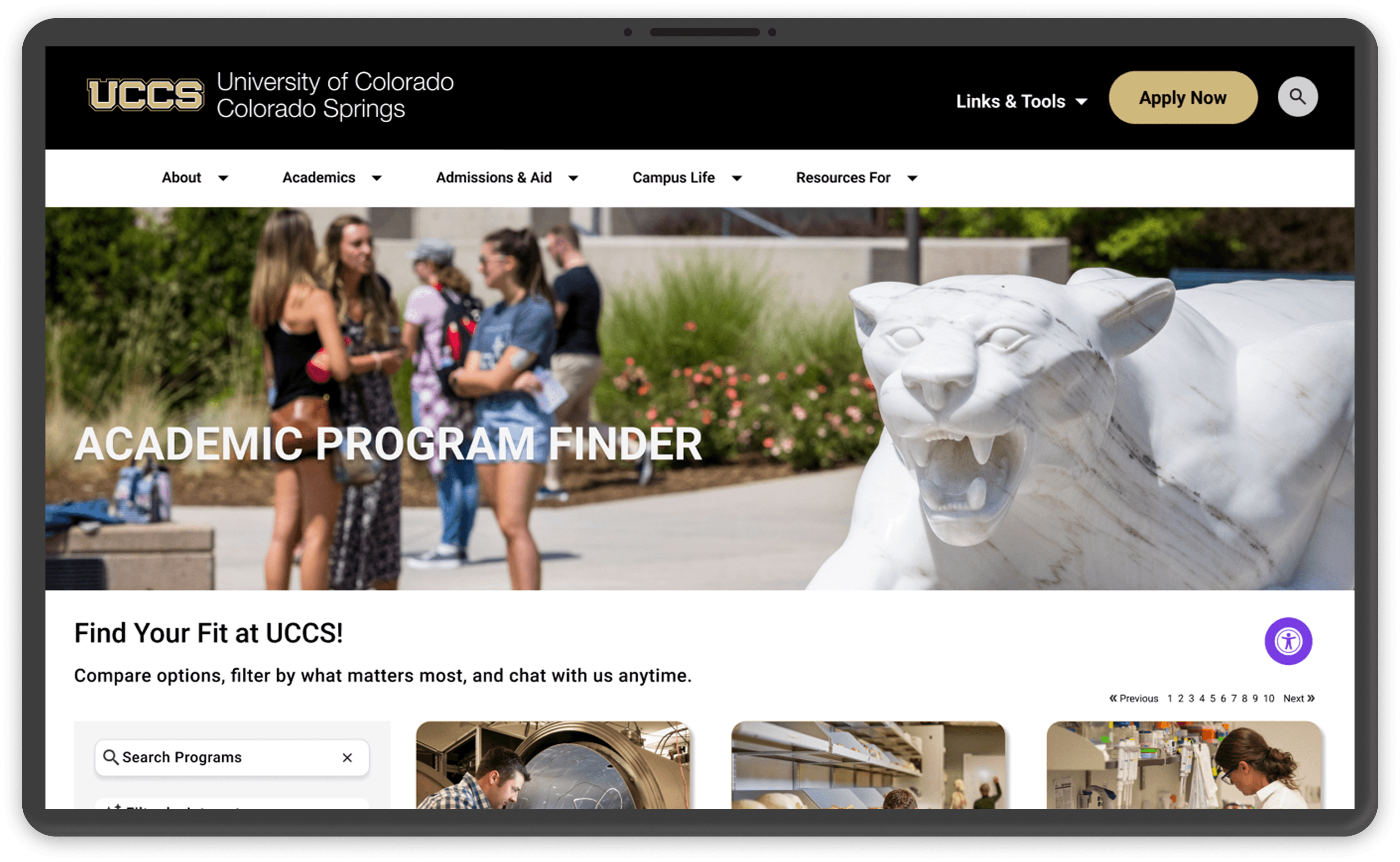
I redesigned the UCCS Program Finder to make academic discovery clearer, more accessible, and easier to navigate. The concept was selected by UCCS for adoption after winning a university UX challenge.
Problem:
The existing Program Finder created high cognitive load and choice paralysis, making it difficult for prospective students to explore and compare programs.
Goal:
Create an accessible discovery experience that helps students find, compare, and confidently choose academic programs.
My role:
UX Strategist & Information Architect
I led the redesign across research, information architecture, interaction design, and prototyping, translating complex academic data into a student-centered experience.
Responsibilities:
Conducted usability research and audits
Restructured information architecture
Designed filtering, comparison, and guided discovery
Built and tested high-fidelity prototypes
Presented the final concept to UCCS stakeholders
All about the user :
User Research
I combined stakeholder input, competitor analysis, usability audits, and interviews with prospective students, current students, and academic advisors to understand where the existing experience broke down.
The research showed that the system reflected institutional structure rather than student mental models, creating friction for users who didn’t already know what they were looking for.
Pain Points
Dense Catalog Barrier:
The Program Finder behaved like a static catalog, giving undecided students no clear starting point for exploration.
Navigational Friction:
Important details such as delivery method and program format were difficult to find, creating unnecessary searching and scrolling.
Structural Mismatch:
Programs were organized around internal university structures rather than how students think about interests, goals, and careers.
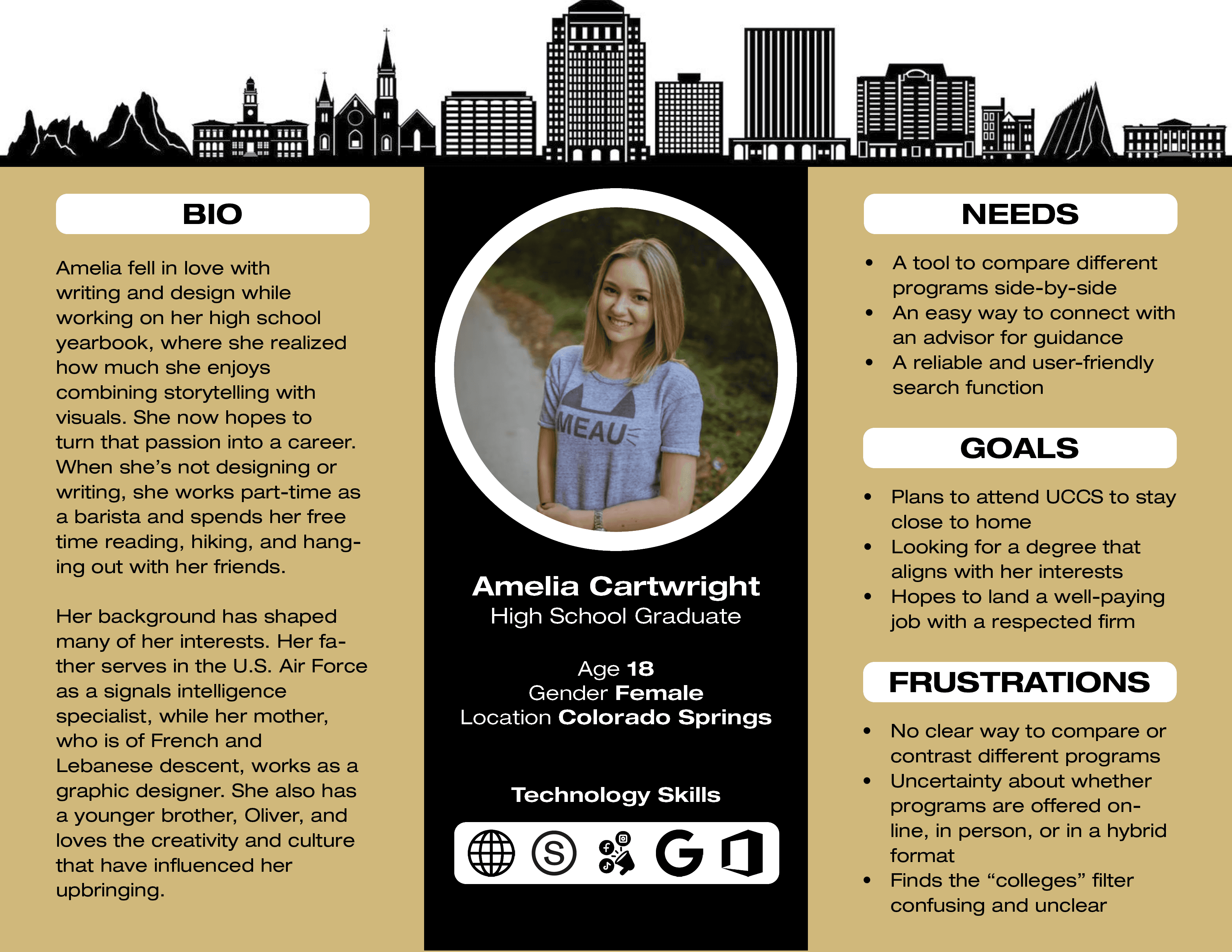
Student Archetype
This student archetype was created from user research, synthesizing recurring needs, behaviors, and pain points that shaped the Program Finder experience.
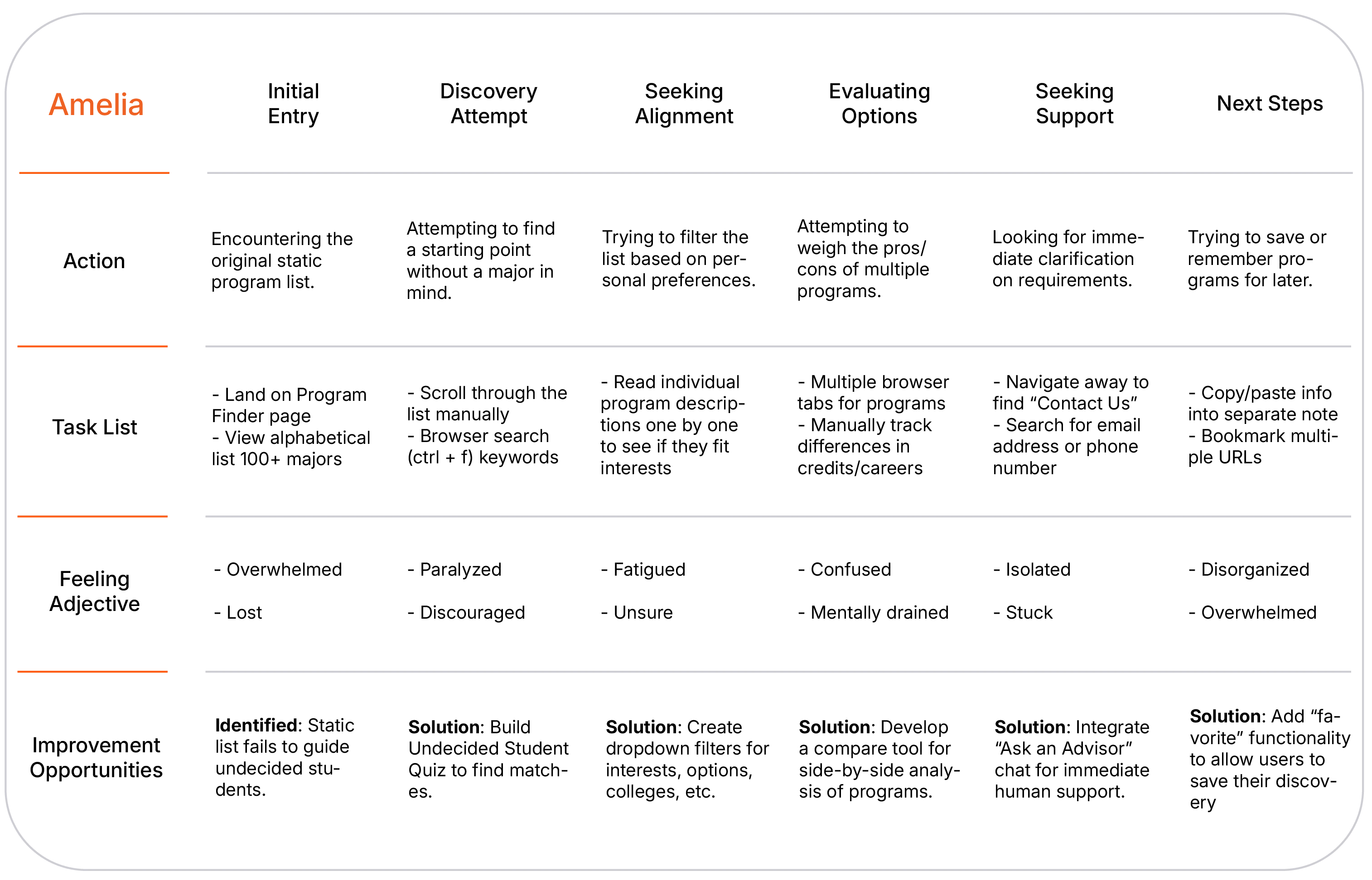
User Journey Map
Mapped Amelia’s journey through the existing Program Finder to identify where students encountered friction, uncertainty, and unnecessary effort.
Goal
Turn an overwhelming program search into a guided discovery experience that helps students move from uncertainty to confident decision-making.
The project schematically :
Starting the Design
I restructured the Program Finder around student mental models, then moved from high-level information architecture into paper and digital prototypes to validate the discovery flow before refining the interface.
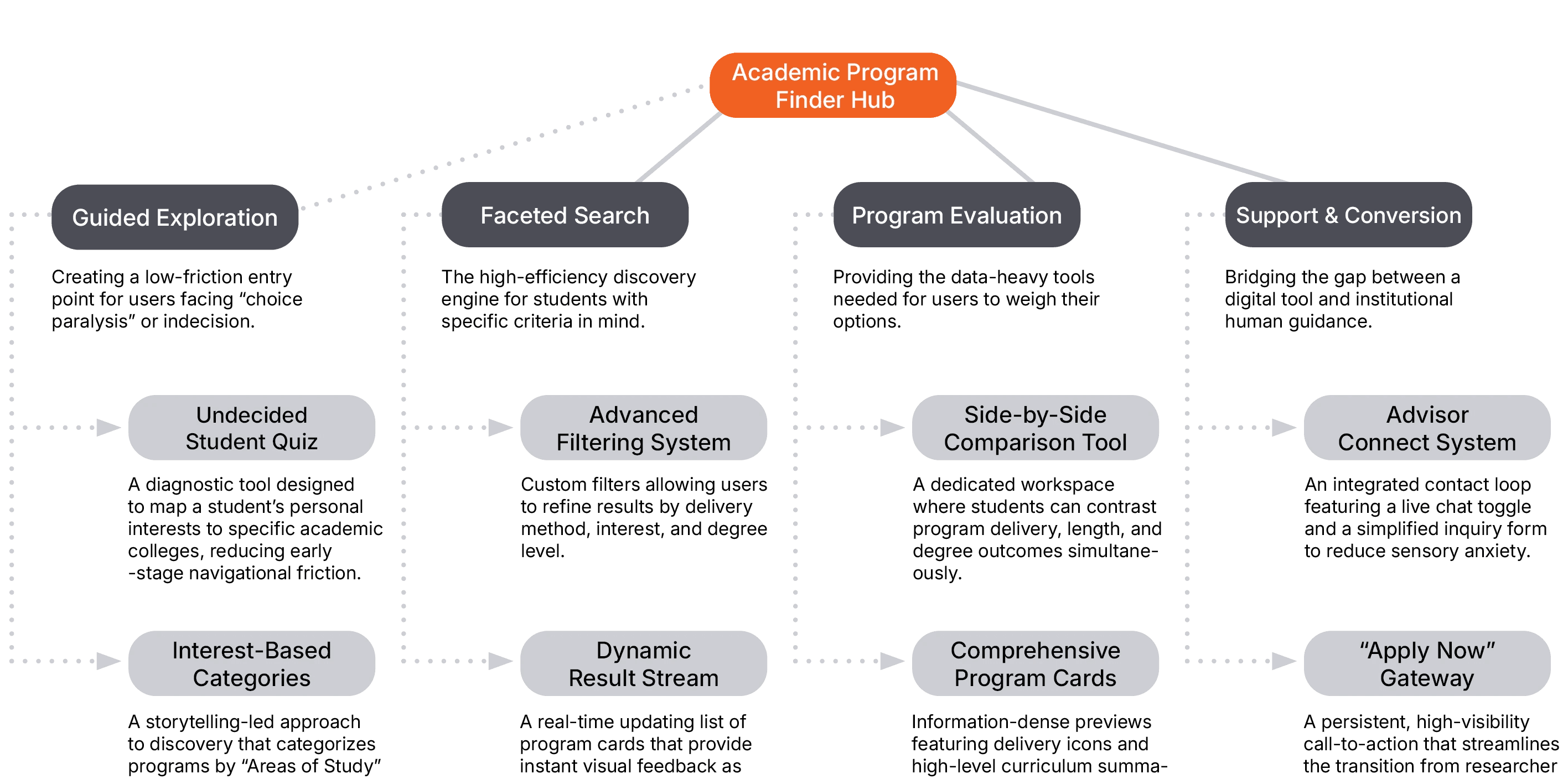
Sitemap
Reorganized 100+ programs around how students explore, compare, and choose rather than internal university structures.
I created a multi-path architecture that supports both high-intent searchers and undecided students. The structure introduced guided discovery, side-by-side comparison, and filters based on decision-relevant attributes such as program delivery method and area of interest.
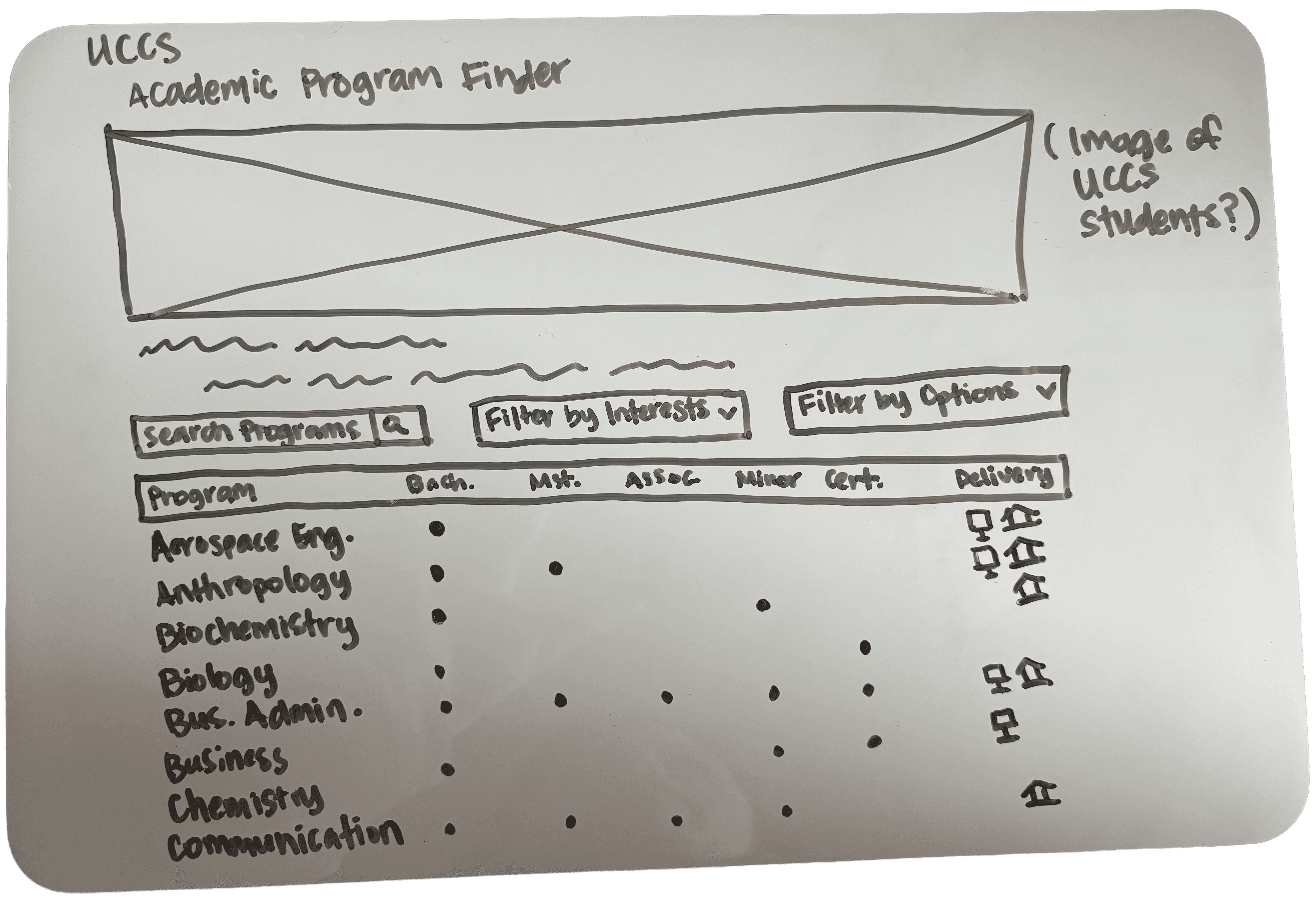
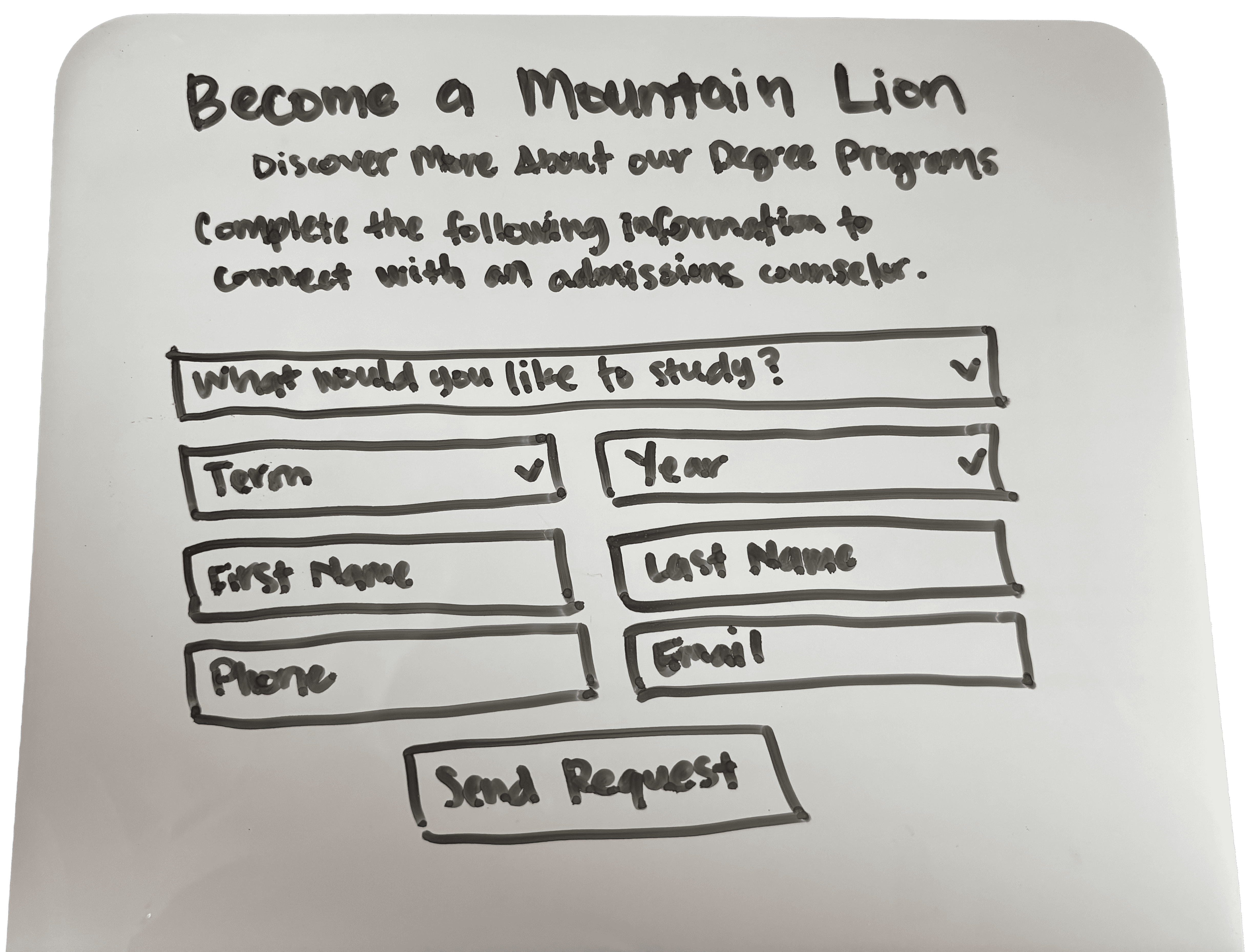
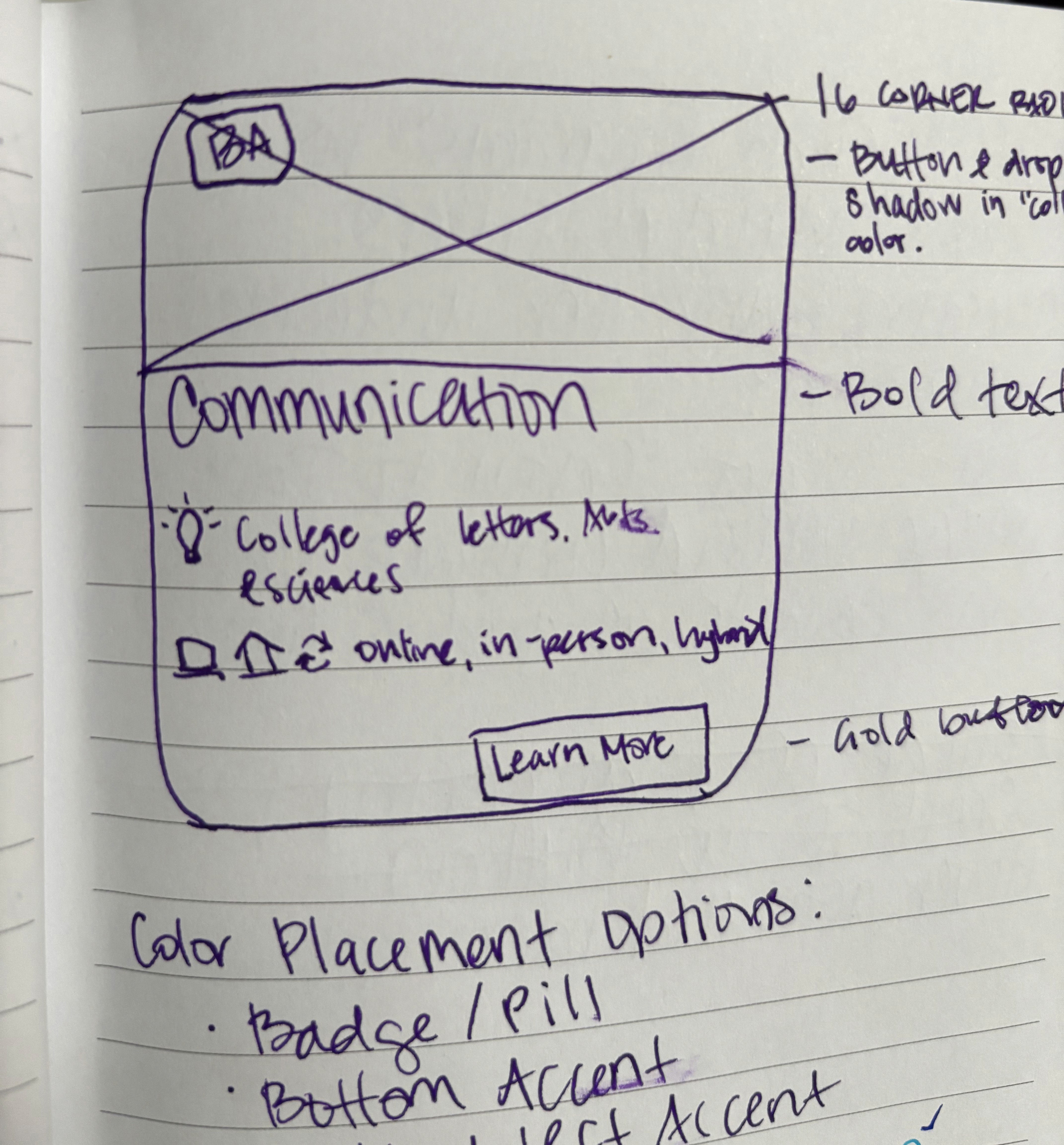
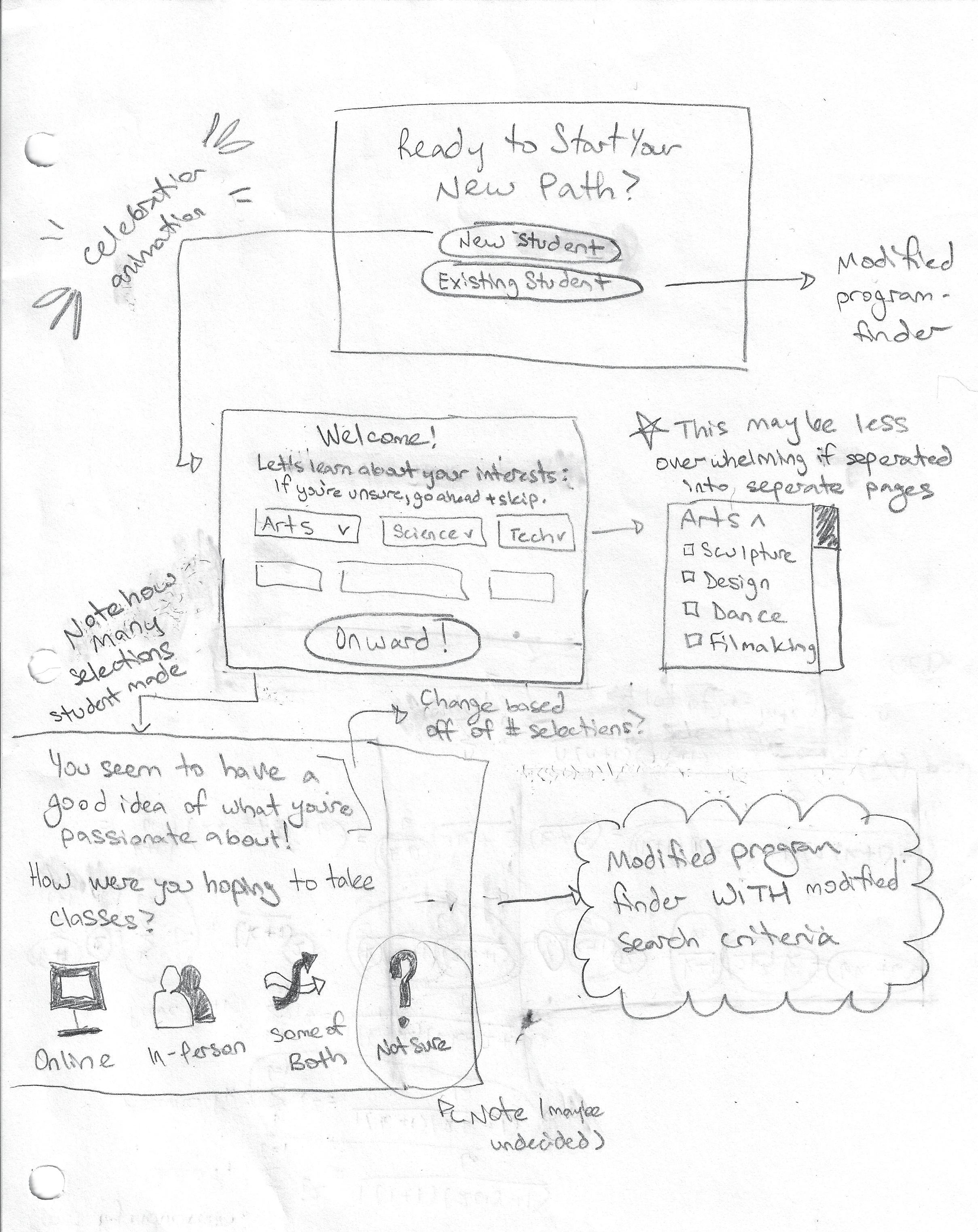
Paper Wireframes
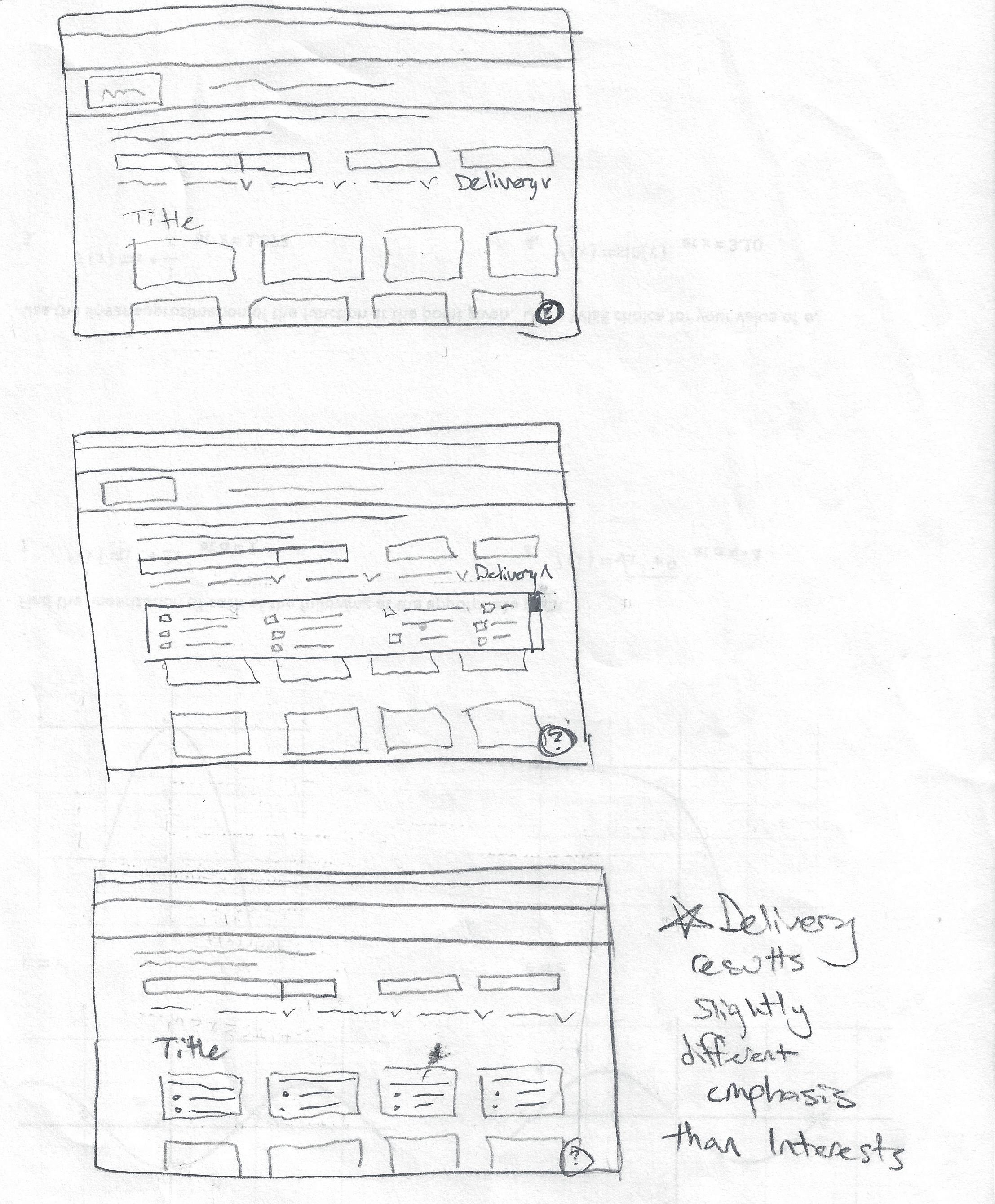
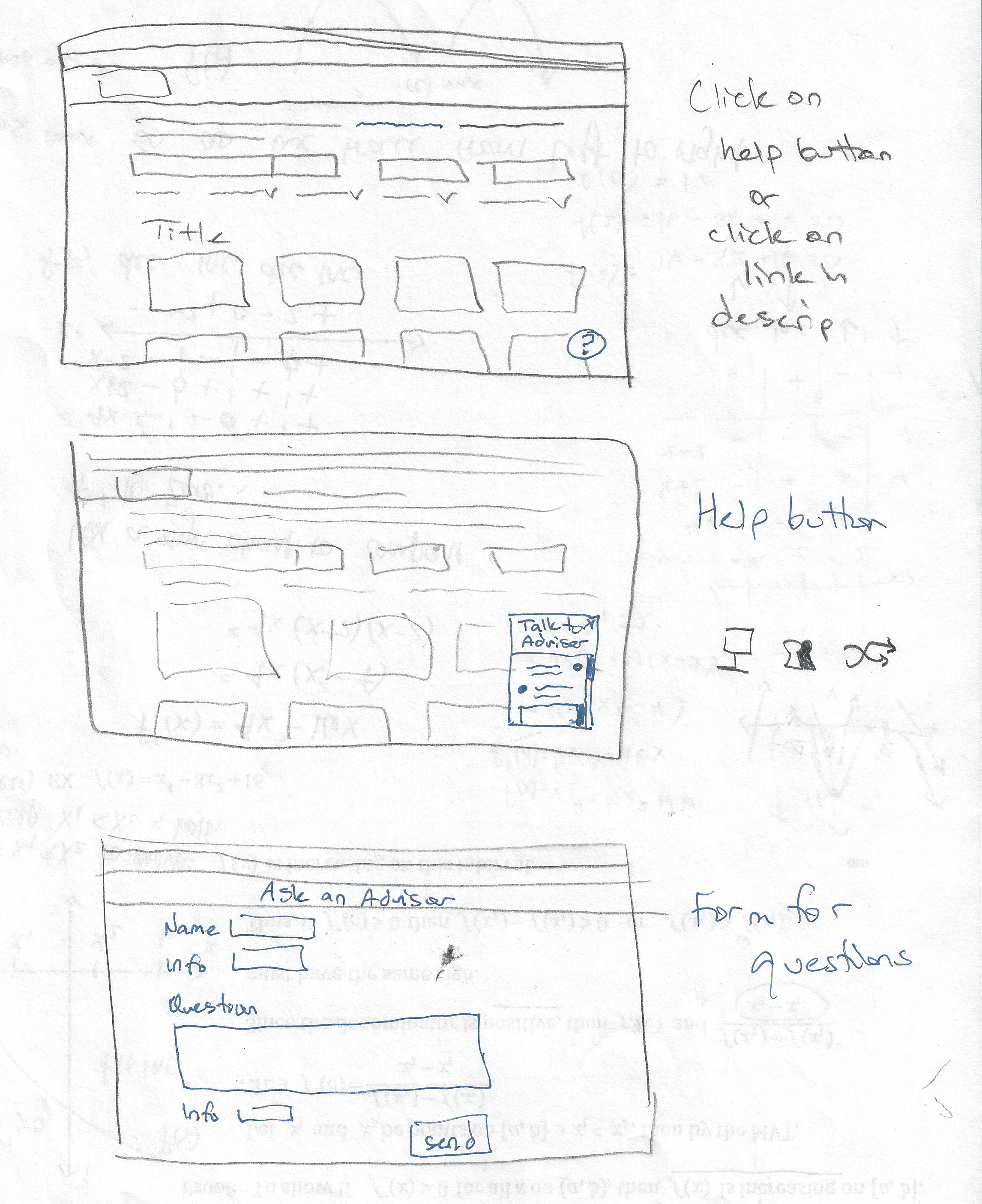
Explored early concepts for guided discovery, filtering, comparison, and student support before moving into digital design.
I sketched multiple approaches to move the Program Finder beyond a static list, testing the logic for faceted search, the Undecided Student Quiz, and advisor support before committing to higher-fidelity designs.


Digital Wireframes
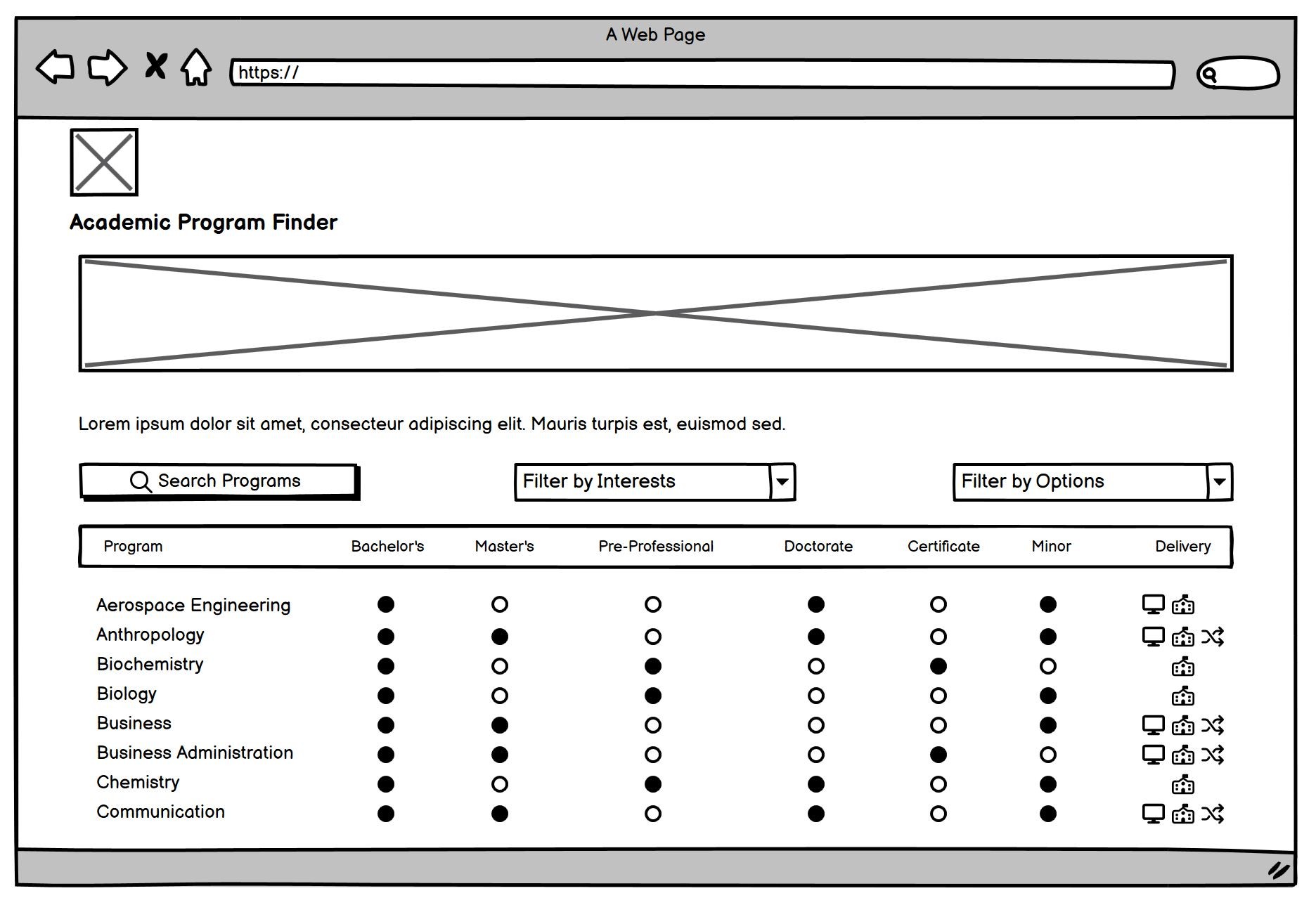
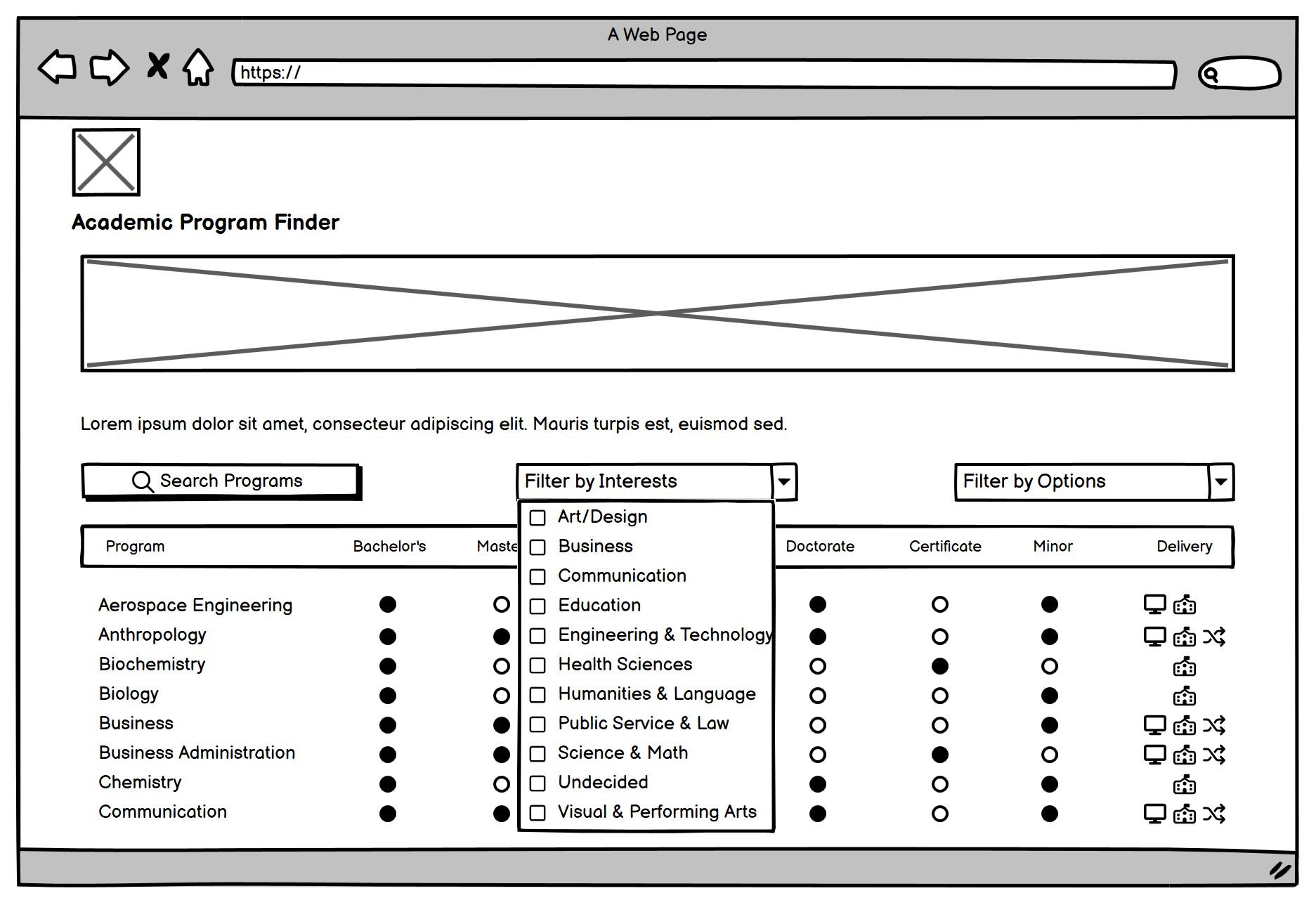
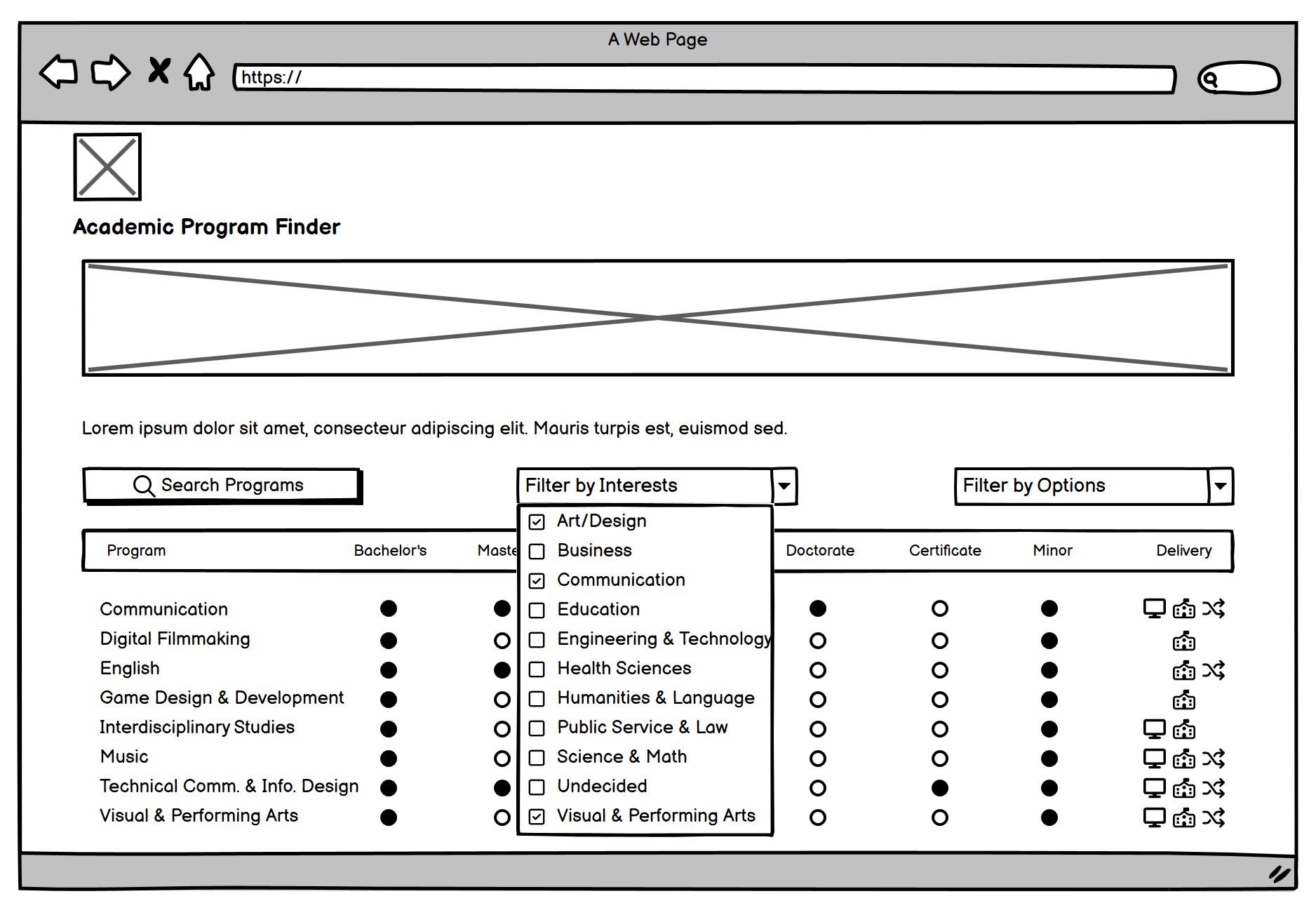
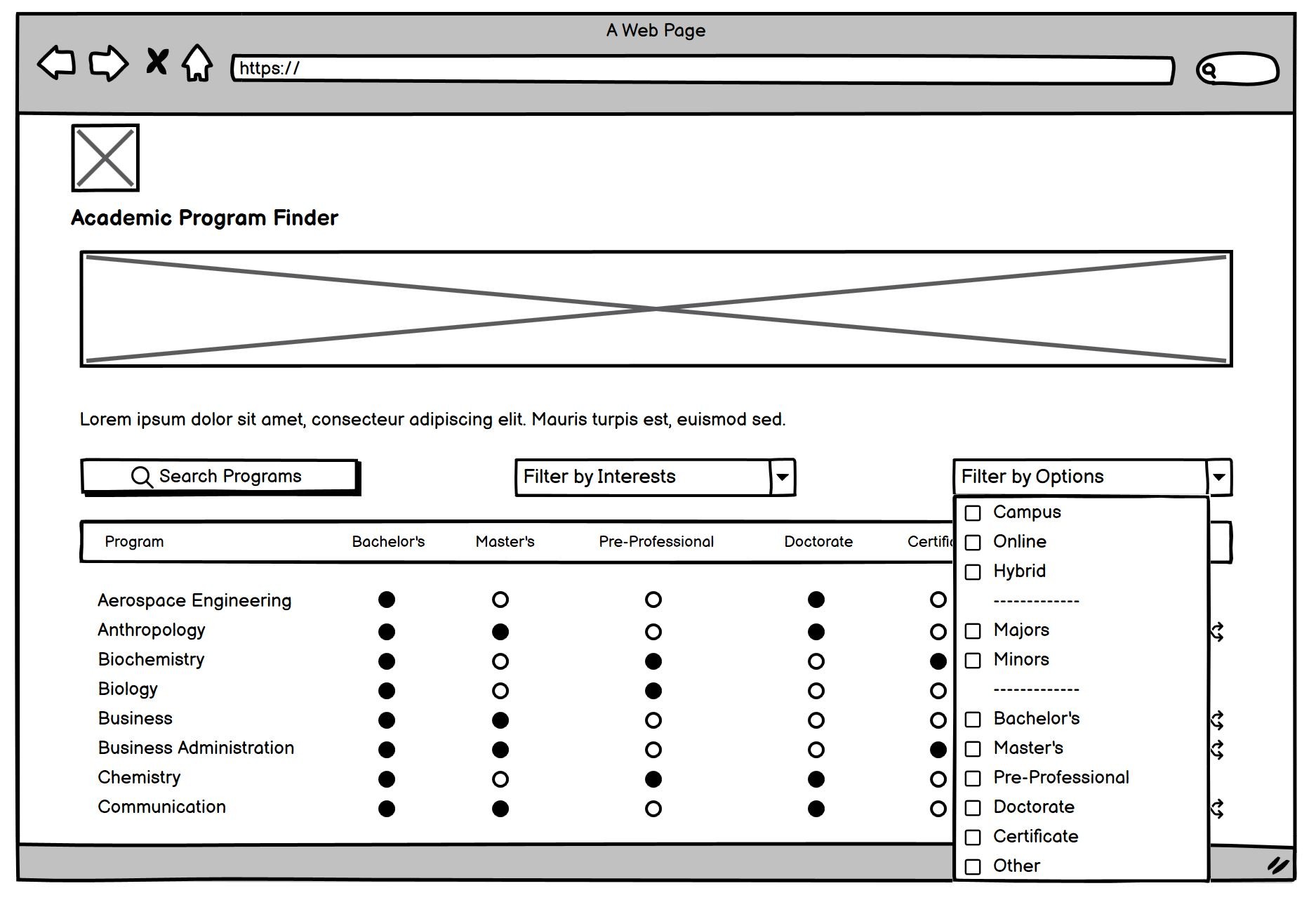
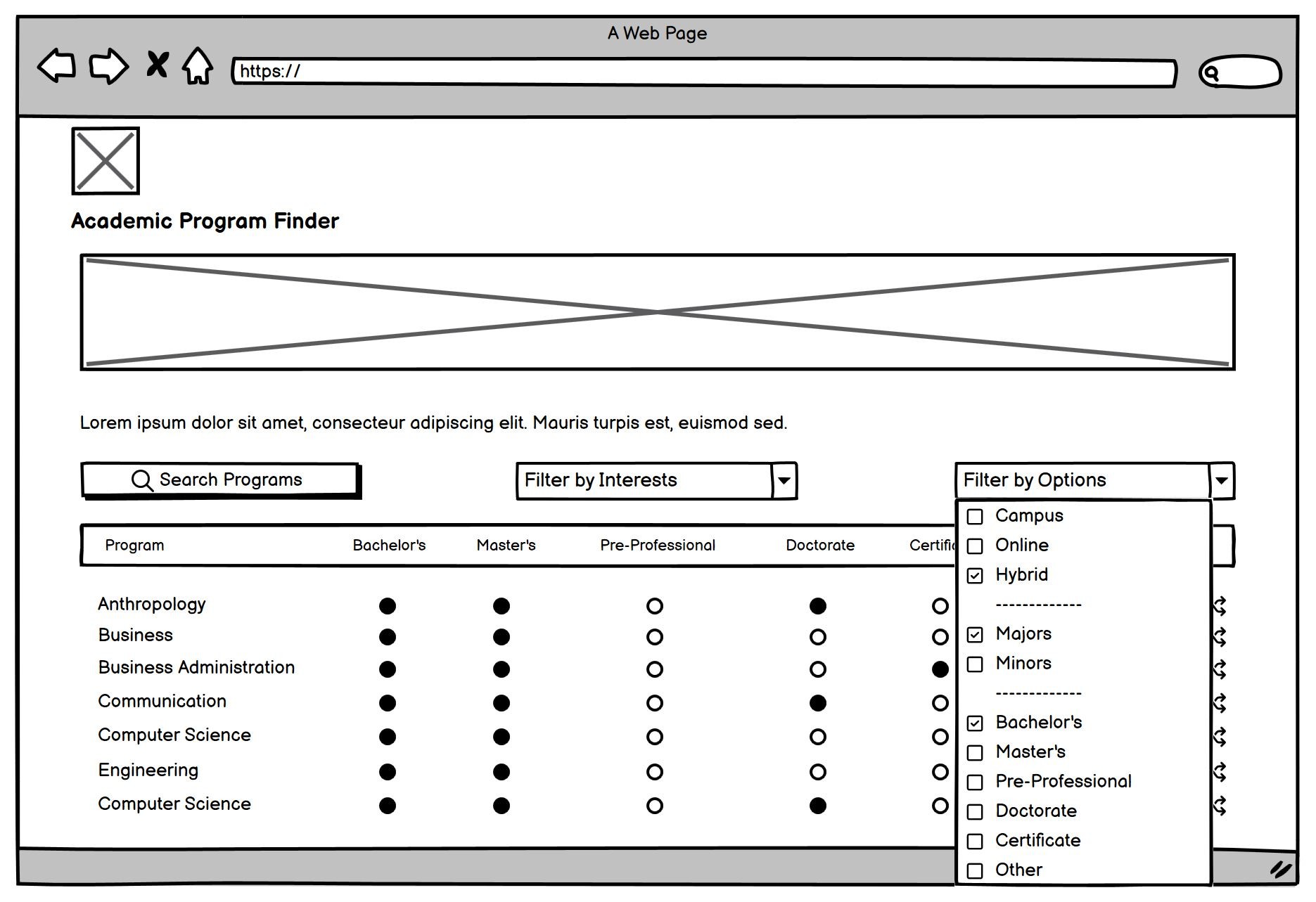
Refined the Program Finder’s structure around clear filtering, visible delivery options, and guided discovery.
I translated the strongest concepts into digital wireframes, prioritizing faceted search, delivery-method clarity, and the Undecided Student Quiz to help students explore 100+ programs with less scrolling and less uncertainty.
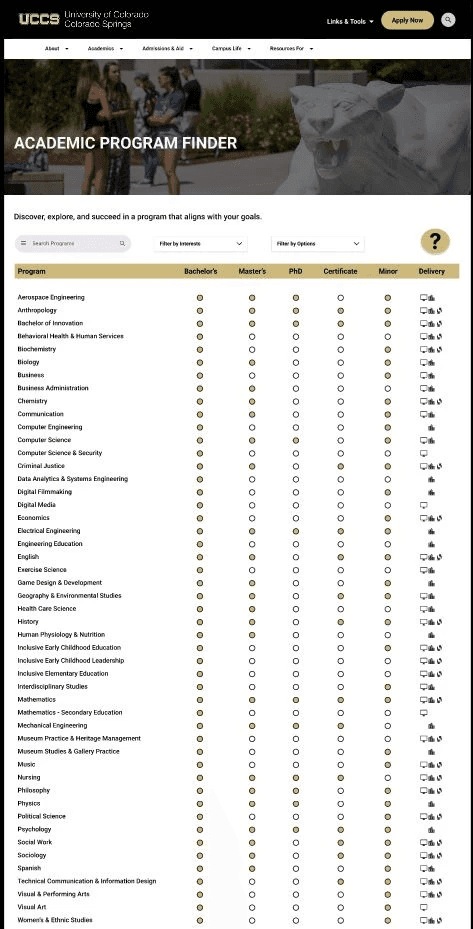
First High-Fidelity Prototype
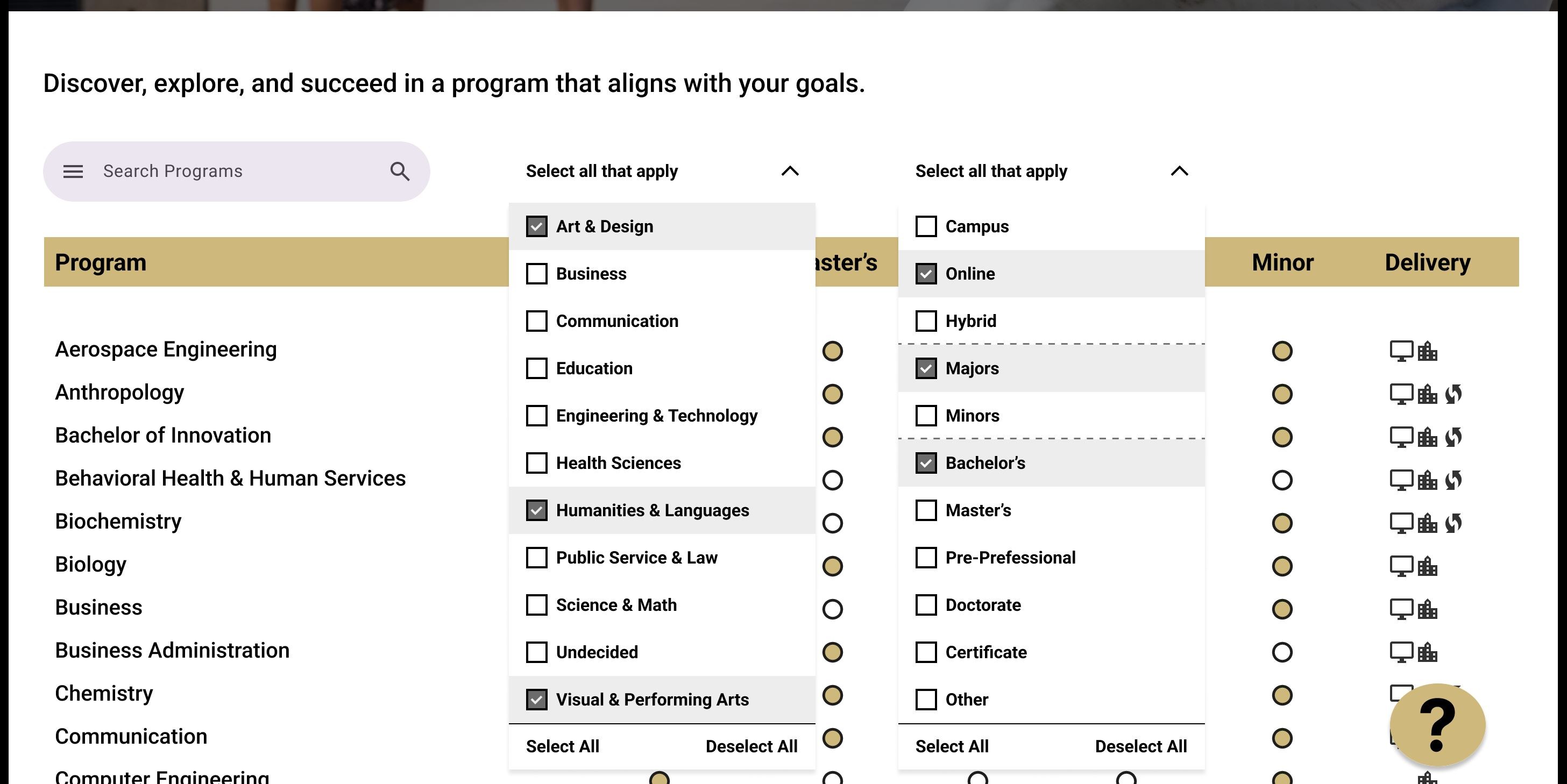
Applied UCCS branding to a realistic prototype that brought the new filtering, advisor support, and discovery flows into a testable interface.
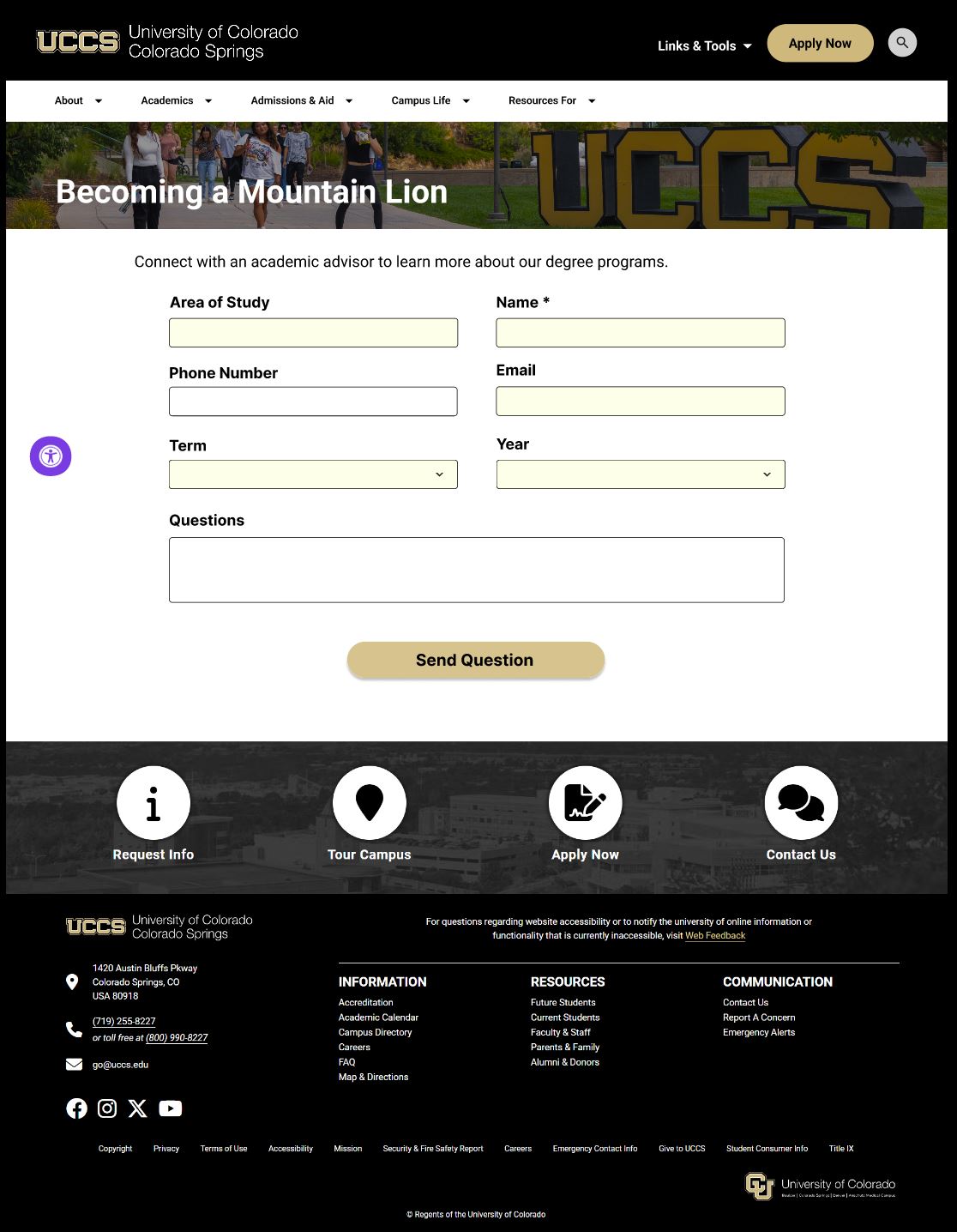
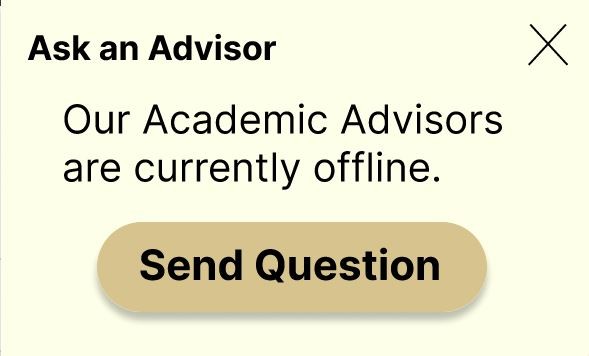
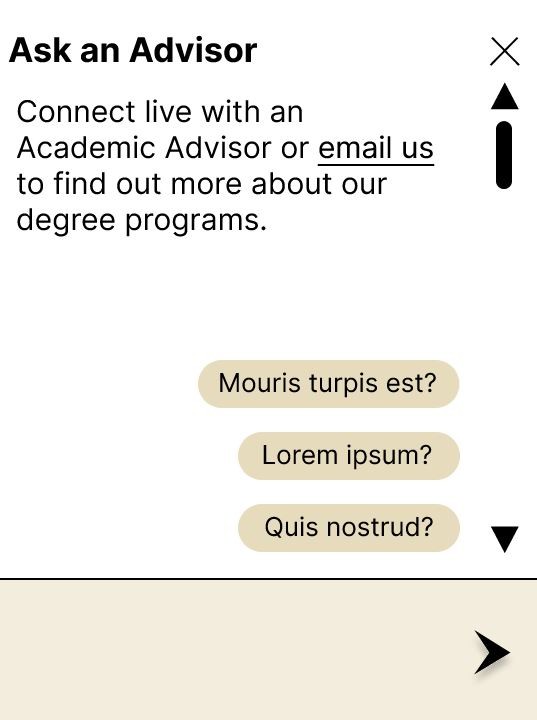
I developed the first high-fidelity prototype using UCCS brand standards, integrating interactive filters, delivery-method indicators, and Ask an Advisor support into the Program Finder. This version helped validate the end-to-end experience before further refinement.
Collaboration & Feedback
Tested the first high-fidelity prototype with peers and prospective students to identify where the experience still created friction.
Feedback showed that the table-based layout was too dense and difficult to scan, especially when comparing programs. I used those findings to pivot toward a more modular, card-based system with clearer hierarchy and stronger mobile responsiveness.
The Problems:
The radio-button table made side-by-side comparison difficult and created unnecessary cognitive load.
The Strategic Decision:
I moved away from a data-heavy table toward a scannable, component-based layout.
The Redesign Focus:
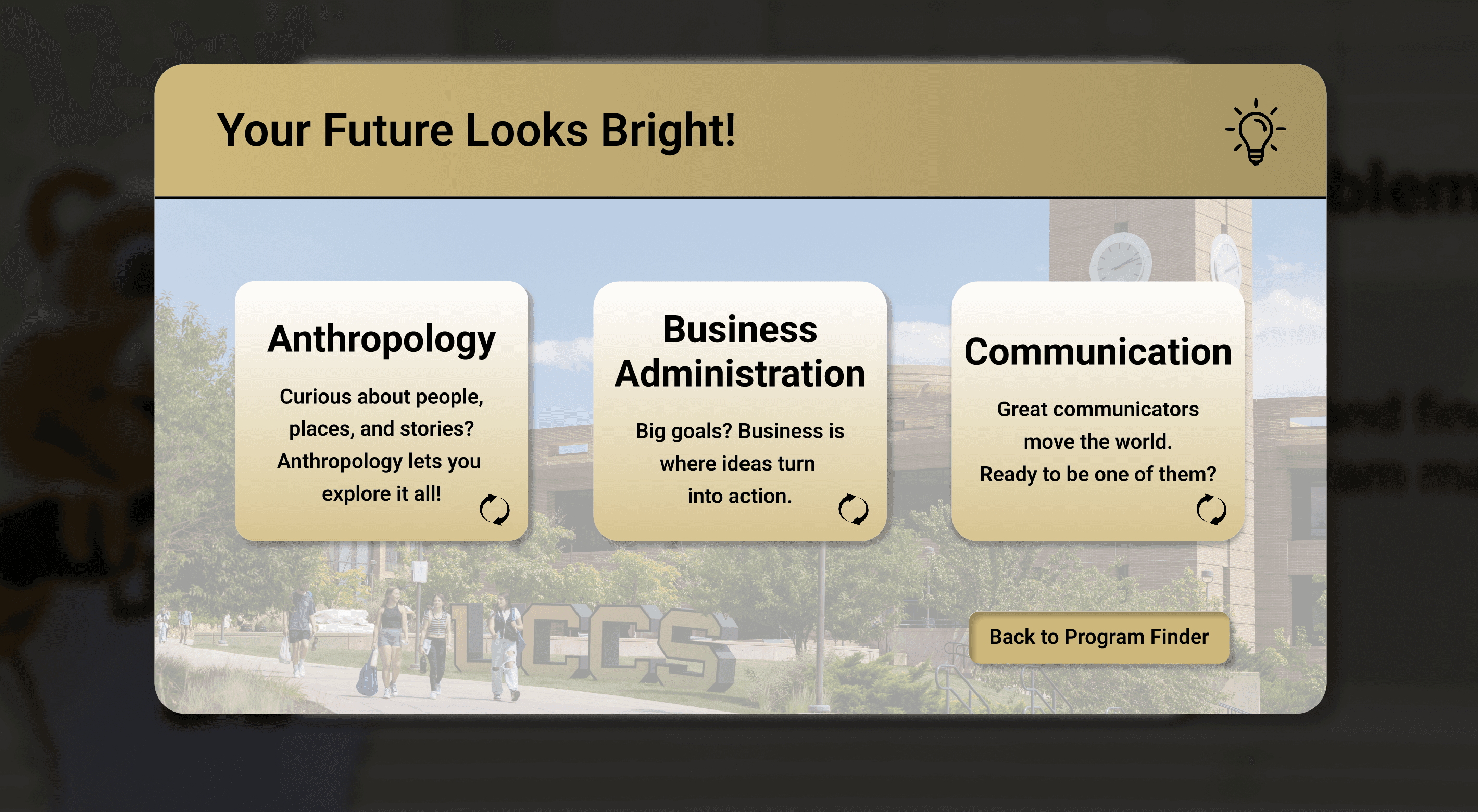
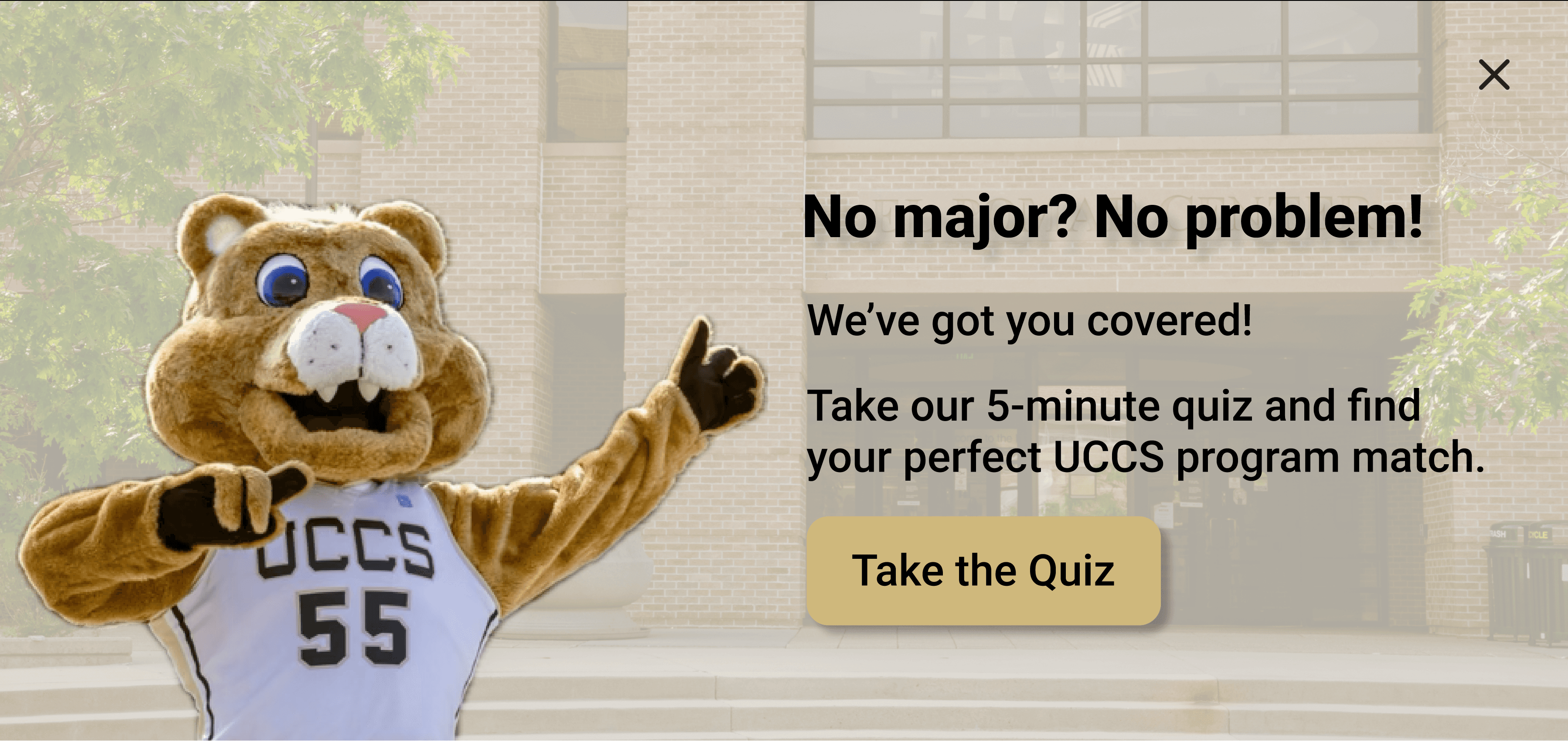
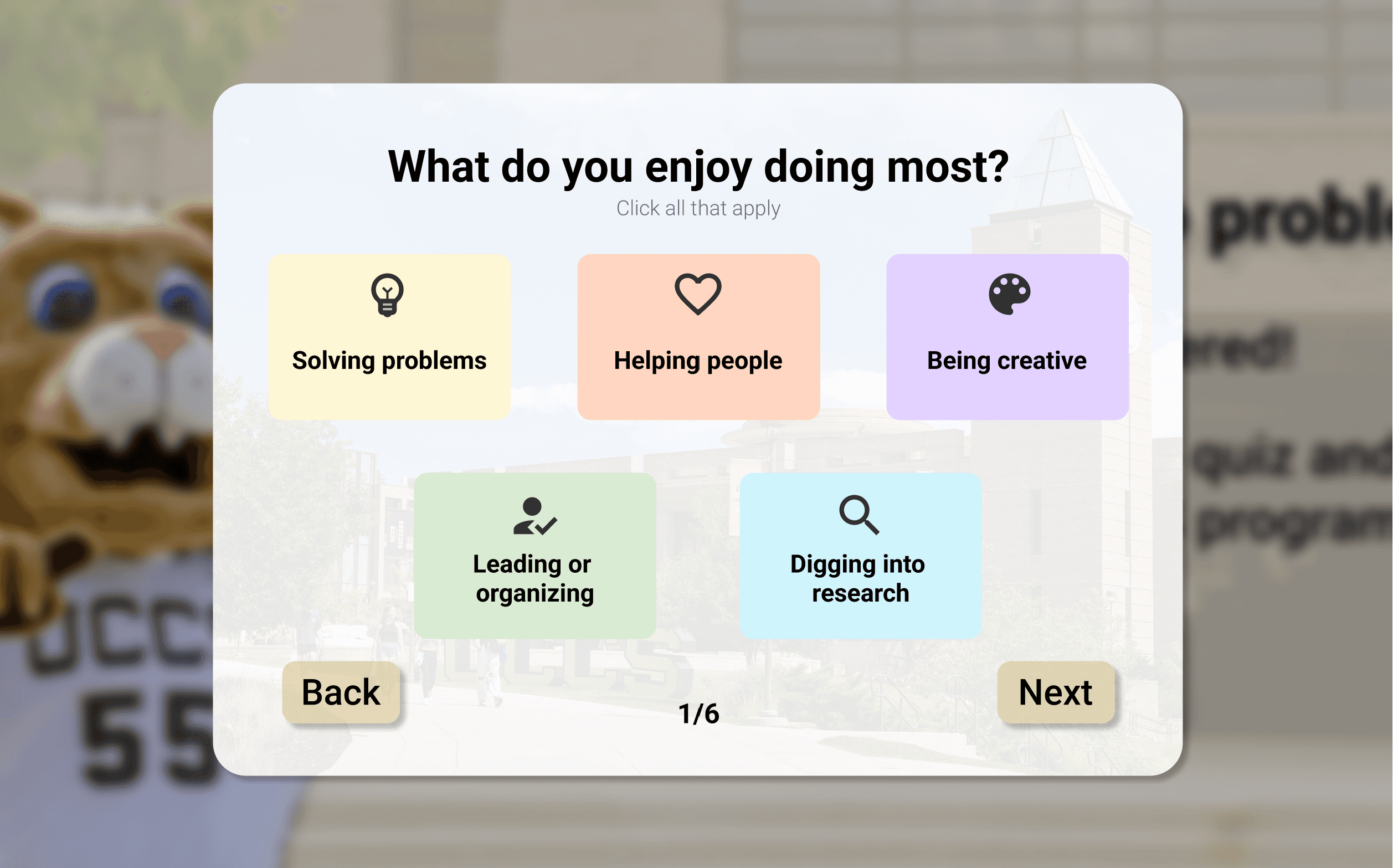
The redesign prioritized accessibility, scanability, clearer program comparison, and a more natural place for the Undecided Student Quiz.
The clear version :
Refining Design
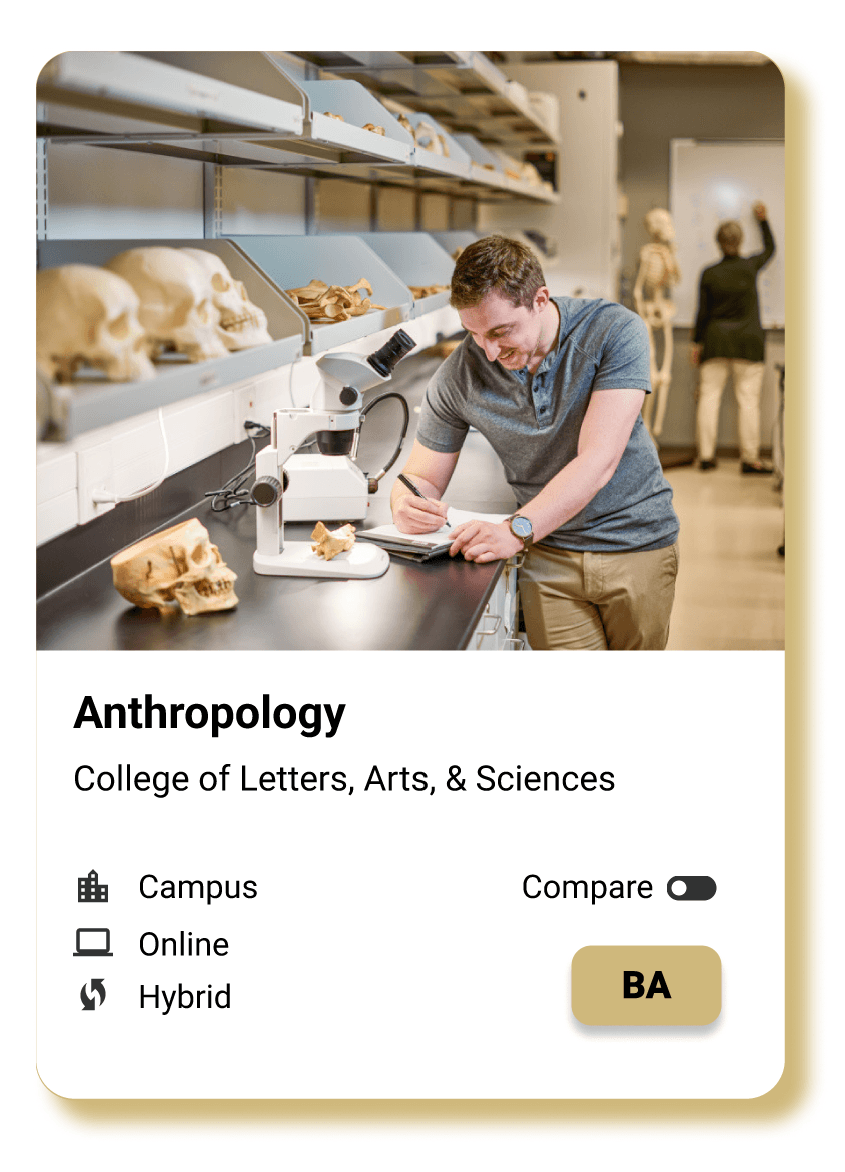
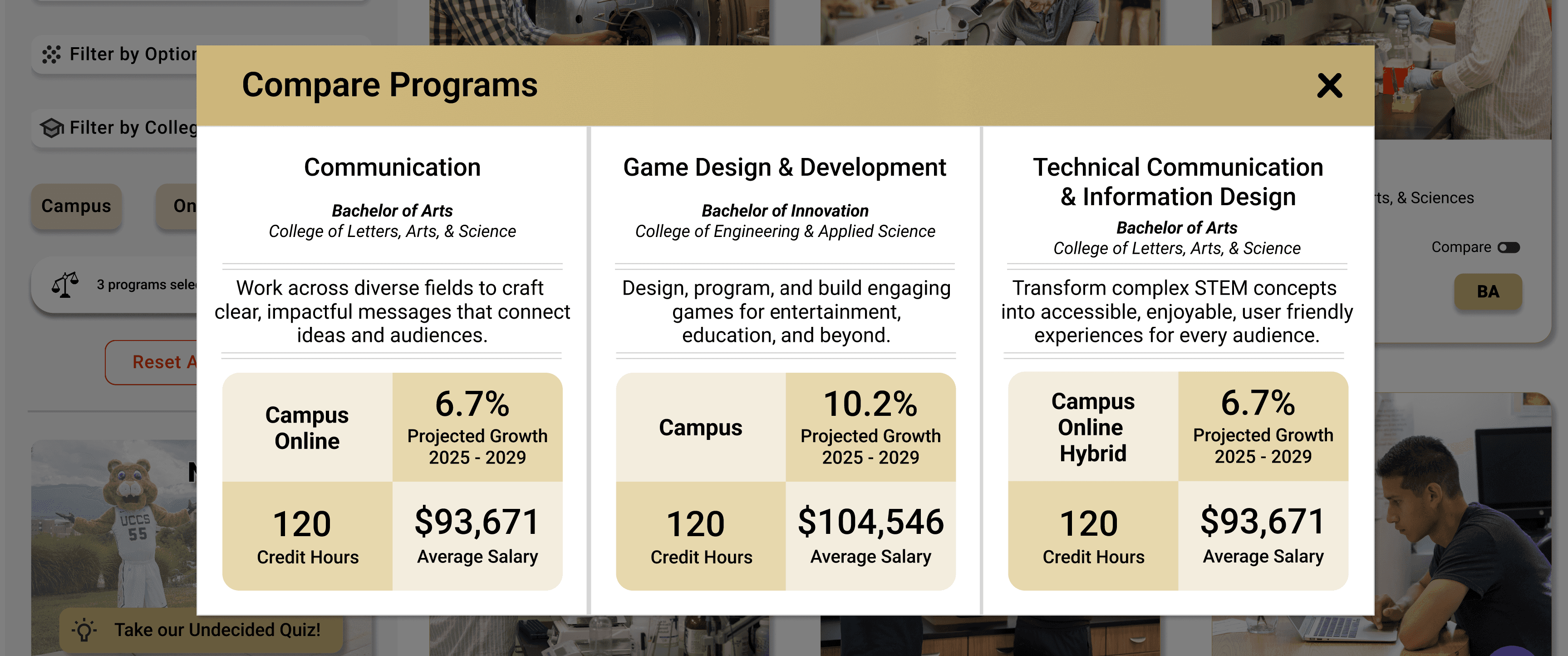
I used usability findings to replace the dense table layout with a modular card system that improved scanability, comparison, and mobile responsiveness. I also expanded the comparison experience with decision-relevant details such as salary and projected job growth.
Mockups
Final high-fidelity designs combining UCCS branding, accessible interaction patterns, and guided discovery tools.
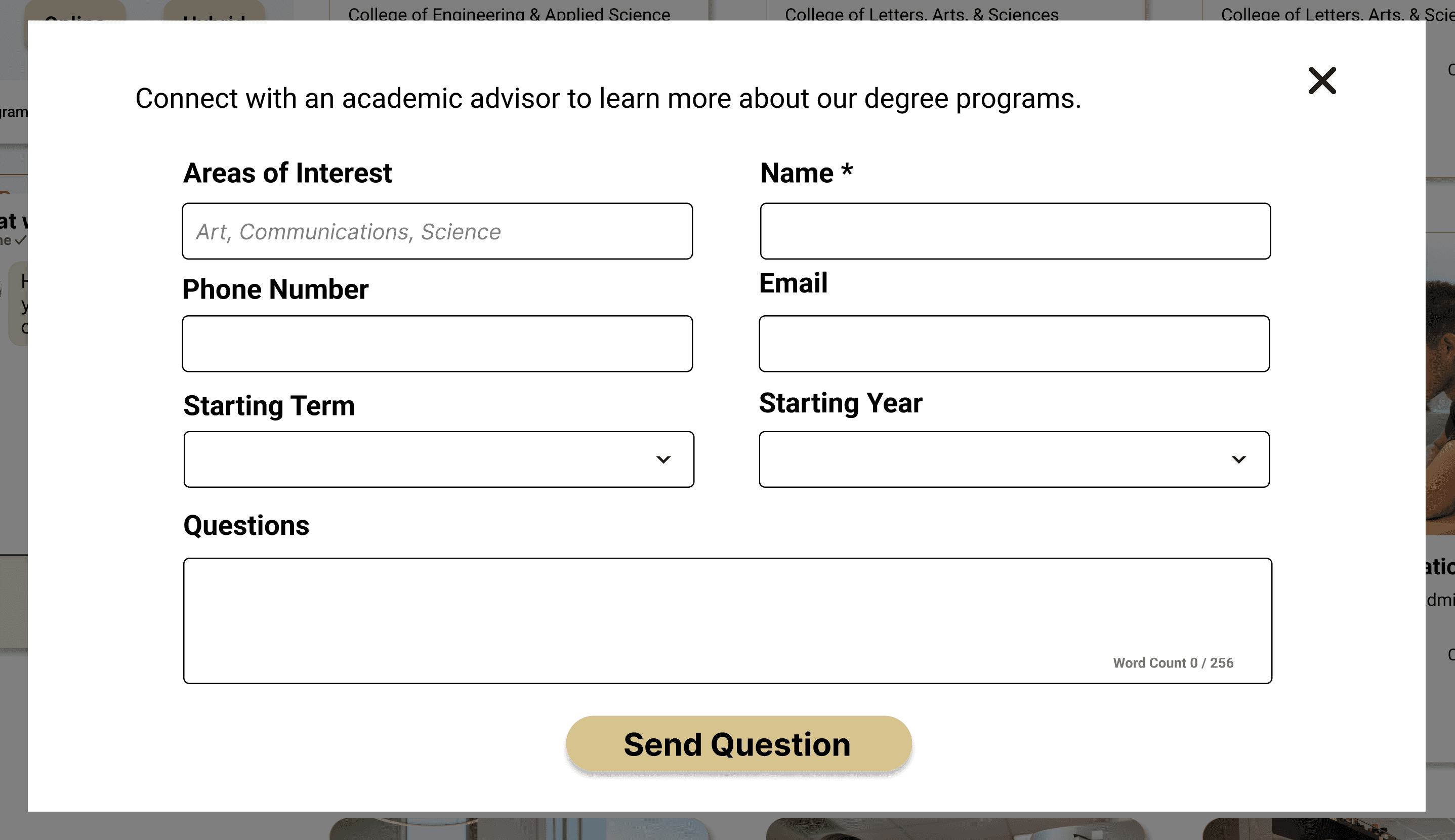
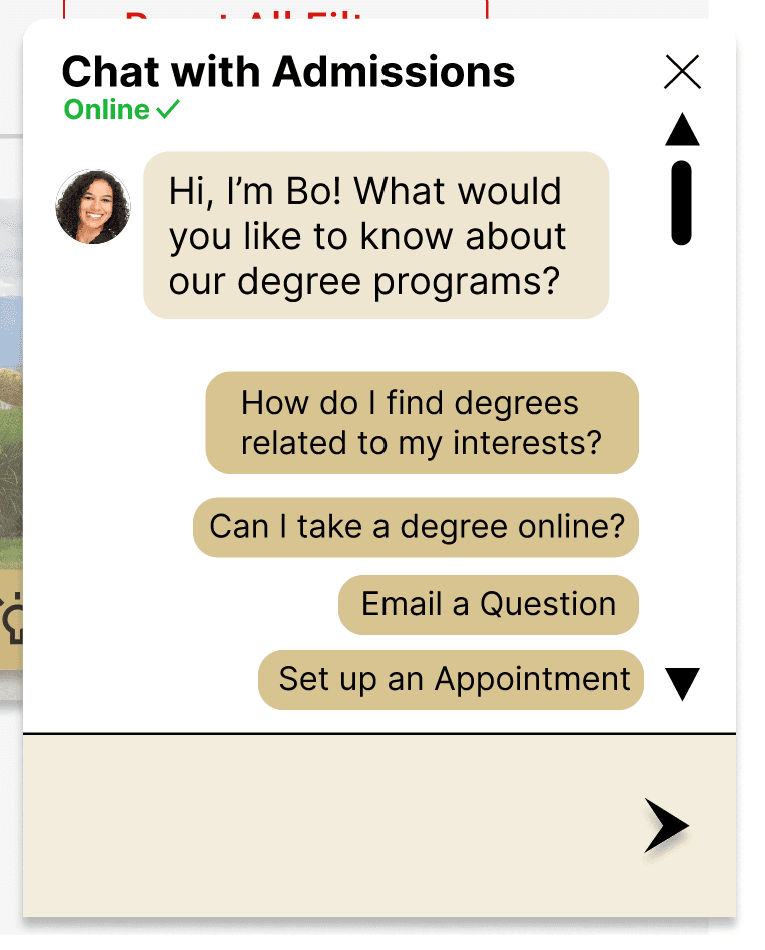
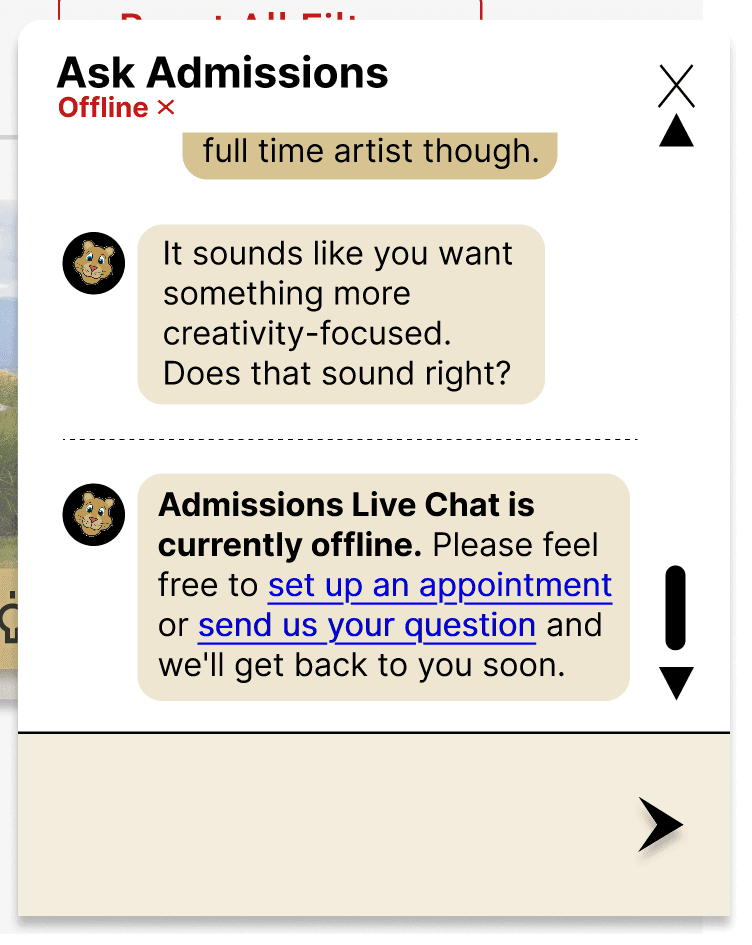
The final design brought together program cards, comparison tools, the Undecided Student Quiz, filtering, and admissions support into one cohesive experience. UCCS branding and accessibility considerations were applied throughout to make the interface feel both trustworthy and easy to use.

High-fidelity prototype
Interactive walkthrough of the redesigned Program Finder, highlighting guided discovery, filtering, comparison, and support tools.
The prototype demonstrates how the redesigned experience replaces rigid, department-based navigation with student-centered filtering and guided pathways, helping prospective and undecided students move from exploration to confident program decisions.

The project schematically :
Outcome
After winning the university-wide UX Design Challenge, the redesigned Program Finder was selected by UCCS for institutional adoption and moved into implementation planning.
Takeaways
Designing for the most uncertain student improved the experience for everyone. Guided discovery helped reduce choice paralysis and made a complex catalog easier to navigate.
Impact:
The redesign transformed the Program Finder from a static catalog into a more scannable, accessible, and decision-oriented discovery experience.
What I learned:
Usability testing challenged my first high-fidelity direction. Replacing the dense table with a card-based system reinforced the value of letting evidence—not attachment to an early solution—drive design decisions.
Next Steps
Future work would focus on evaluating the experience after implementation and refining the system based on real student behavior.
Post-Handoff Design Integrity
Review how core components and interaction patterns translate into production and identify opportunities for refinement.
Measuring Long-Term Conversion
Evaluate whether features such as comparison, guided discovery, and advisor support improve engagement and help students make program decisions more confidently.